Managed vs Unmanaged Dedicated Server Hosting: Which Is Right for You?
Print- 0
Managed vs Unmanaged Dedicated Server Hosting: Which Is Right for You?
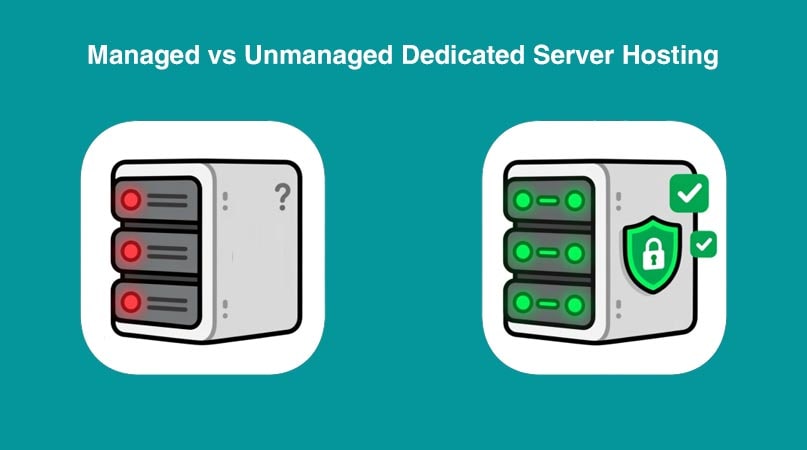
What Is a Dedicated Server?
A dedicated server is a physical hosting environment exclusively allocated to a single client. Unlike shared or virtualized solutions, it provides full access to all hardware resources—including CPU, RAM, storage, and bandwidth—without sharing with other users.
This setup delivers maximum performance, enhanced security, and complete administrative control, making it ideal for high-traffic websites, enterprise applications, e-commerce platforms, and resource-intensive workloads that demand consistent reliability.
Dedicated servers are commonly deployed when performance isolation, regulatory compliance, or custom infrastructure configurations are non-negotiable. They support full root access, allowing advanced users to install custom software stacks, fine-tune server settings, and implement tailored security policies.
While they require more technical expertise—or a managed service layer—they offer unmatched stability compared to shared or VPS hosting. For organizations prioritizing uptime, scalability, and infrastructure sovereignty, a dedicated server represents the highest tier of web hosting architecture.
Choosing between managed and unmanaged models depends on in-house technical capacity. Managed options include proactive monitoring, security patching, and 24/7 support—critical for businesses without dedicated DevOps teams. Learn more about this distinction in our guide on managed vs. unmanaged dedicated servers.
What Is Managed Dedicated Server Hosting?
Managed dedicated server hosting is a premium hosting solution where a client leases an entire physical server exclusively for their use, while the hosting provider assumes full responsibility for technical management tasks. This includes server monitoring, security patching, software updates, performance optimization, and 24/7 technical support.
Unlike unmanaged dedicated servers—where the user handles all administrative duties—managed hosting removes the operational burden, making enterprise-grade infrastructure accessible to businesses without in-house DevOps expertise. The client retains root access and full control over applications and content, but critical backend maintenance is handled by the provider’s specialists.
This model is ideal for high-traffic websites, e-commerce platforms, SaaS applications, or any workload requiring maximum performance, strict compliance, or custom configurations—without the complexity of self-management. It combines the power of a dedicated server with the convenience of hands-off administration.
Key managed services typically include:
- Proactive security hardening and firewall management
- Automated backups and disaster recovery
- Kernel and OS updates
- DDoS protection and intrusion detection
- Performance tuning and resource scaling
For organizations prioritizing reliability over infrastructure micromanagement, managed dedicated hosting delivers robust performance with operational simplicity—ensuring focus remains on business growth, not server upkeep.
What Is Unmanaged Dedicated Server Hosting?
Unmanaged dedicated server hosting provides a client with exclusive access to an entire physical server, while placing full responsibility for configuration, maintenance, security, and troubleshooting on the user. Unlike managed hosting, the provider delivers only the hardware, network connectivity, and basic infrastructure—without ongoing technical support or administrative intervention.
This model is designed for experienced system administrators, developers, or IT teams who require complete control over their environment and prefer to implement custom configurations, specialized software stacks, or proprietary security protocols without external oversight.
Key responsibilities in an unmanaged setup include:
- Operating system installation and updates
- Firewall and intrusion detection setup
- Web server and database optimization
- Backup automation and disaster recovery planning
- Performance monitoring and resource tuning
While unmanaged dedicated servers offer maximum flexibility and cost efficiency for technically proficient users, they demand significant expertise. Without proper management, even high-end hardware can suffer from security vulnerabilities, performance bottlenecks, or downtime. For those evaluating infrastructure options, understanding the distinction between managed and unmanaged hosting models is essential to align infrastructure with operational capacity.
Key Differences Between Managed and Unmanaged Dedicated Servers
The primary distinction between managed and unmanaged dedicated servers lies in who handles the server’s operational responsibilities—not in hardware performance or resource allocation. Both provide exclusive access to a physical machine, but differ significantly in support scope, technical overhead, and suitability for different user profiles.
Technical Support and Maintenance
In managed hosting, the provider handles OS updates, security patches, monitoring, and troubleshooting. In unmanaged hosting, these tasks fall entirely on the client. This makes managed solutions ideal for businesses without dedicated IT staff, while unmanaged suits seasoned administrators seeking autonomy.
Security Management
Managed servers typically include proactive security measures: firewall configuration, DDoS mitigation, malware scanning, and intrusion detection. Unmanaged servers require users to implement and maintain all security layers themselves—posing risks if expertise is limited.
Software Updates and Patching
With managed hosting, kernel updates, control panel upgrades (e.g., cPanel), and critical software patches are applied automatically. Unmanaged environments demand manual intervention, increasing the risk of running outdated, vulnerable software if not diligently maintained.
Control and Flexibility
Both models grant root access, but unmanaged hosting offers unrestricted freedom to customize every system layer—from bootloader settings to custom kernels. Managed hosting may impose minor constraints to ensure stability and compatibility with support protocols.
Cost Comparison
Unmanaged servers usually have lower base pricing since they exclude labor-intensive support services. Managed plans carry a premium that reflects expert oversight, reduced downtime risk, and time savings—translating to higher total value for non-technical users.
Ultimately, the choice hinges on internal technical capacity. A developer managing multiple high-performance applications may prefer unmanaged control, while an e-commerce business prioritizing uptime and compliance will benefit from managed reliability. For deeper insights into infrastructure selection, explore our guide on how to choose the best hosting for your website.
Technical Support and Maintenance
Technical support and maintenance encompass the ongoing tasks required to keep a server secure, stable, and performing optimally. In dedicated hosting environments, the scope of these responsibilities varies dramatically between managed and unmanaged models—and directly impacts operational reliability.
In a managed dedicated server, the hosting provider assumes full responsibility for core system administration. This includes 24/7 monitoring, hardware diagnostics, operating system updates, kernel patching, control panel upgrades (such as cPanel or DirectAdmin), and rapid incident response. Support teams proactively address issues like failed disks, network anomalies, or service outages—often before the client is aware they occurred.
Conversely, an unmanaged dedicated server places all maintenance duties on the user. The provider typically guarantees only network uptime and physical hardware functionality. Everything else—installing security patches, configuring firewalls, optimizing MySQL performance, troubleshooting Apache errors, or recovering from misconfigurations—must be handled internally by the client’s team or third-party consultants.
This division has critical implications:
- Response time: Managed services offer SLA-backed resolution timelines; unmanaged relies on in-house availability.
- Expertise dependency: Unmanaged setups demand proficiency in Linux administration, networking, and cybersecurity.
- Operational continuity: Without automated monitoring, minor issues on unmanaged servers can escalate into prolonged downtime.
For businesses lacking dedicated DevOps resources, the absence of professional maintenance can compromise not only performance but also compliance—especially under regulations like GDPR or PCI-DSS, which mandate timely patching and audit-ready logging.
Understanding your team’s technical bandwidth is essential before choosing a model. If infrastructure management isn’t a core competency, managed support isn’t an added cost—it’s a risk mitigation strategy. Learn more about aligning hosting choices with operational capacity in our comparison of VPS vs. dedicated servers.
Security Management
Security management in dedicated server environments involves the continuous implementation of protective measures to safeguard data, applications, and infrastructure from threats such as unauthorized access, malware, DDoS attacks, and zero-day exploits. The approach differs significantly between managed and unmanaged hosting models.
In a managed dedicated server, security is a shared responsibility handled primarily by the provider. This includes hardened operating system configurations, automated firewall rule updates (via tools like CSF or iptables), intrusion detection systems (IDS), real-time malware scanning, and regular vulnerability assessments. Providers often deploy enterprise-grade DDoS mitigation at the network edge and enforce strict access controls, ensuring compliance with industry standards without requiring client intervention.
With an unmanaged dedicated server, all security responsibilities rest entirely on the user. This means manually configuring firewalls, applying kernel-level security patches, monitoring logs for suspicious activity, installing and updating antivirus or anti-malware tools, and securing SSH access through key-based authentication and port hardening. Without disciplined oversight, even a powerful server can become vulnerable to brute-force attacks, outdated software exploits, or misconfigured services.
Critical security considerations include:
- Timely patching: Unpatched software is the leading cause of breaches; managed services automate this, while unmanaged requires vigilance.
- Network-level protection: Managed plans typically include upstream DDoS filtering; unmanaged users must arrange their own mitigation.
- Audit readiness: Businesses subject to PCI-DSS, HIPAA, or GDPR benefit from managed providers’ documented security protocols and logging practices.
For organizations without dedicated cybersecurity personnel, the operational risk of self-managed security can outweigh cost savings. A single oversight—such as leaving default credentials or failing to close unused ports—can lead to compromise. Conversely, experienced teams may prefer full control to implement custom security architectures aligned with specific compliance or threat-modeling requirements.
Evaluating your security capabilities is essential before selecting a server model. For further guidance on infrastructure choices based on risk tolerance, see our detailed analysis of common hosting selection mistakes and how to avoid them.
Software Updates and Patching
Software updates and patching are critical maintenance tasks that ensure server stability, performance, and—most importantly—security. These processes address vulnerabilities, fix bugs, improve compatibility, and introduce new features across the operating system, control panels, web servers, databases, and third-party applications.
In a managed dedicated server, the hosting provider handles all aspects of this lifecycle. This includes automatic installation of OS security patches (e.g., for CentOS, Ubuntu, or AlmaLinux), timely updates to control panels like cPanel or DirectAdmin, and routine upgrades to core services such as Apache, Nginx, PHP, MySQL, and SSH. Patches are typically applied during scheduled maintenance windows or immediately in response to critical CVEs (Common Vulnerabilities and Exposures), minimizing exposure windows without client involvement.
By contrast, an unmanaged dedicated server requires the user to monitor release channels, test updates in staging environments (if available), and manually deploy changes via command-line tools like yum, apt, or custom scripts. Failure to apply patches promptly can leave systems exposed to known exploits—many of which are weaponized within hours of public disclosure.
Key implications include:
- Risk exposure: Unpatched software is the most common entry point for attackers; managed hosting reduces this window significantly.
- Compatibility management: Providers validate update sequences to prevent conflicts between stack components—a complex task for solo administrators.
- Compliance requirements: Regulations like PCI-DSS mandate documented patching procedures, which managed services inherently support.
While advanced users may prefer manual control for testing or legacy compatibility, the operational burden is substantial. Automated, expert-managed patching isn’t just convenience—it’s a foundational layer of cyber hygiene.
For teams evaluating infrastructure models, understanding update responsibilities is essential. Learn more about aligning technical capacity with hosting choices in our guide on VPS vs. cloud hosting, where similar maintenance principles apply across deployment types.
Control and Flexibility
Control and flexibility refer to the degree of administrative access and customization a user has over their server environment. In dedicated hosting, both managed and unmanaged models grant root or administrator-level access—but how that control is exercised differs significantly based on support structure and operational expectations.
An unmanaged dedicated server offers near-total autonomy. Users can install any operating system, compile custom kernels, deploy niche software stacks, configure low-level network settings, or implement proprietary security architectures without oversight. This level of freedom is invaluable for developers, researchers, or enterprises with specialized workloads—such as high-frequency trading platforms, custom SaaS backends, or compliance-driven environments requiring audited configurations.
In a managed dedicated server, full root access is still provided, but providers may recommend or enforce certain configurations to maintain system integrity and supportability. For example, automatic updates might be enabled by default, or specific kernel modules restricted to ensure compatibility with monitoring tools. While this introduces minor constraints, it preserves stability and ensures rapid troubleshooting—critical for business-critical applications.
Key considerations include:
- Customization depth: Unmanaged servers allow modifications at the firmware and bootloader levels; managed setups prioritize standardized, supportable environments.
- Deployment speed: Managed servers often include pre-configured templates (e.g., LAMP, Docker-ready), accelerating time-to-deployment.
- Operational trade-offs: Absolute control demands expertise; without it, flexibility can lead to misconfigurations that degrade performance or security.
Ultimately, “more control” isn’t universally better—it’s only advantageous when paired with the skills to wield it responsibly. Organizations seeking agility without infrastructure risk often find that managed hosting delivers the right balance: sufficient customization for application needs, without the burden of maintaining the underlying platform.
For further insight into aligning infrastructure freedom with team capabilities, explore our comparison of cPanel vs. DirectAdmin, where control and usability intersect in real-world hosting workflows.
Cost Comparison
When evaluating managed versus unmanaged dedicated server hosting, cost extends beyond the monthly invoice—it encompasses time, expertise, risk exposure, and opportunity cost. While unmanaged plans typically carry a lower base price, the total cost of ownership (TCO) must account for operational overhead.
Unmanaged dedicated servers offer lower upfront pricing because they exclude labor-intensive support services. However, this model shifts expenses to the client: in-house system administrators must be available 24/7 for troubleshooting, security patching, performance tuning, and incident response. For businesses without technical staff, this often means hiring external consultants or diverting developer resources from core product work—adding hidden costs that can exceed the managed premium over time.
Managed dedicated servers include expert oversight as part of the service fee. This covers proactive monitoring, automated backups, security hardening, software updates, and rapid issue resolution. Though the monthly rate is higher, it eliminates unpredictable emergency repair bills and reduces downtime-related revenue loss. For e-commerce sites, SaaS platforms, or mission-critical applications, this predictability translates into operational resilience and long-term savings.
Key financial considerations include:
- Labor costs: The average hourly rate for senior Linux administrators can significantly outweigh the managed service differential.
- Downtime impact: Unresolved issues on unmanaged servers may lead to extended outages—costing far more than preventive support.
- Scalability efficiency: Managed providers often streamline resource upgrades and migrations, reducing deployment delays and associated lost opportunities.
Budget-conscious startups or developers with strong DevOps skills may benefit from unmanaged hosting. Conversely, growing businesses prioritizing focus, compliance, and uptime will find managed hosting a cost-effective investment—not an expense.
For a strategic approach to infrastructure spending, review our guide on how to choose the best hosting for your website, which aligns hosting models with both technical needs and financial strategy.
Who Should Choose Managed Dedicated Hosting?
Managed dedicated hosting is best suited for businesses and professionals who require the power and isolation of a dedicated server but lack the in-house expertise—or bandwidth—to manage it themselves. This model delivers enterprise-grade infrastructure with hands-off administration, making it ideal for specific user profiles.
E-commerce stores handling high transaction volumes benefit from managed hosting’s proactive security, PCI-DSS-aligned configurations, and rapid incident response—ensuring checkout systems remain secure and available during peak sales periods.
Agencies and web developers</strong managing multiple client sites often choose managed dedicated servers to offload backend maintenance. This allows them to focus on design, development, and client strategy rather than server-level troubleshooting or patching.
Small to mid-sized businesses (SMBs) without dedicated IT teams gain access to 24/7 expert support, automated backups, and performance optimization—capabilities that would otherwise require costly hires or third-party contracts.
SaaS startups</strong launching mission-critical applications rely on managed environments for predictable uptime, scalable resources, and compliance-ready infrastructure, accelerating time-to-market without operational distractions.
Non-technical website owners</strong running resource-intensive platforms—such as membership sites, learning management systems, or custom CMS builds—can leverage full server performance without needing command-line proficiency.
Common indicators that managed hosting is the right fit include:
- No full-time system administrator on staff
- Need for guaranteed uptime and rapid issue resolution
- Regulatory or industry compliance requirements (e.g., GDPR, HIPAA)
- Preference for predictable monthly costs over variable emergency repair bills
While managed hosting carries a higher base price than unmanaged alternatives, it eliminates hidden operational burdens and reduces business risk. For organizations where reliability trumps granular control, it represents not just a hosting choice—but a strategic operational advantage.
To assess whether your use case aligns with managed infrastructure, explore our detailed overview of managed WordPress hosting vs. shared hosting, which illustrates similar decision dynamics in different contexts.
Who Should Choose Unmanaged Dedicated Hosting?
Unmanaged dedicated hosting is tailored for users who require full control over their server environment and possess the technical expertise to manage it independently. This model delivers raw infrastructure without administrative oversight, making it ideal for specific professional profiles.
Experienced system administrators benefit from unmanaged hosting by implementing custom configurations, optimizing kernel parameters, or deploying specialized software stacks that managed environments may restrict for compatibility reasons.
Developers and DevOps teams managing complex applications—such as microservices architectures, custom APIs, or high-performance computing workloads—often prefer unmanaged servers to fine-tune performance, automate deployments via CI/CD pipelines, and integrate monitoring tools without external constraints.
IT departments of mid-to-large enterprises with in-house infrastructure teams use unmanaged dedicated servers to maintain strict compliance protocols, enforce internal security policies, or align server setups with existing on-premises systems.
Security researchers and ethical hackers leverage unmanaged environments to run isolated testing labs, deploy honeypots, or analyze malware in controlled conditions—scenarios requiring deep system access and minimal interference.
Cost-conscious technical users who prioritize hardware performance over support services may choose unmanaged hosting to avoid recurring management fees, provided they can handle patching, backups, and incident response internally.
Key indicators that unmanaged hosting is appropriate include:
- Proficiency in Linux command-line administration
- Ability to configure firewalls, SSH, and intrusion detection systems
- Experience with web server tuning (e.g., Nginx, Apache) and database optimization
- Established backup, monitoring, and disaster recovery workflows
While unmanaged hosting offers maximum flexibility and lower base costs, it demands consistent vigilance. Without proper maintenance, even enterprise-grade hardware can become vulnerable or unstable. Therefore, this model is not recommended for non-technical users, small businesses without IT staff, or projects where uptime directly impacts revenue.
For those evaluating infrastructure autonomy versus operational overhead, reviewing our comparison of managed vs. unmanaged dedicated servers provides further clarity on responsibility allocation and risk assessment.
Performance and Reliability: Is There a Difference?
From a hardware standpoint, there is no inherent performance difference between managed and unmanaged dedicated servers—both provide exclusive access to the same physical resources: CPU, RAM, storage, and bandwidth. However, real-world performance and reliability are heavily influenced by how the server is configured, maintained, and monitored over time.
In a managed dedicated server, performance is optimized proactively. Hosting providers typically implement tuned kernel parameters, clean service stacks, and resource monitoring to prevent bottlenecks. Automated updates, security hardening, and 24/7 oversight ensure the system remains stable under load. If a process consumes excessive memory or a disk shows early failure signs, the support team intervenes before users experience slowdowns or downtime.
With an unmanaged dedicated server, peak performance depends entirely on the user’s expertise. A well-tuned unmanaged server can outperform a generic managed setup due to custom optimizations—such as compiling Nginx with specific modules or configuring NVMe storage for low-latency I/O. However, without disciplined maintenance, misconfigurations, outdated software, or unmonitored resource exhaustion can degrade performance silently, leading to erratic response times or unexpected crashes.
Reliability follows a similar pattern:
- Managed servers benefit from SLA-backed uptime guarantees, redundant network paths, and rapid incident response—minimizing mean time to recovery (MTTR).
- Unmanaged servers rely on the user to detect and resolve issues. A failed RAID array or runaway cron job may go unnoticed until it causes service disruption.
Storage type also plays a role: both models can use SSD or NVMe drives, but only managed environments typically include automated health checks and proactive replacements. Similarly, while both can run identical web stacks, managed setups often include performance-enhancing layers like caching proxies or PHP-FPM tuning out of the box.
Ultimately, hardware sets the ceiling—but operational discipline determines real-world consistency. For most businesses, the reliability gains from expert management outweigh marginal theoretical performance advantages of self-optimization.
To understand how infrastructure choices affect site speed and stability, see our analysis of SSD vs. NVMe in hosting environments, where hardware and configuration intersect to shape user experience.
Common Use Cases for Each Hosting Type
The choice between managed and unmanaged dedicated hosting often hinges on real-world operational needs. While both deliver full hardware access, their ideal applications differ based on technical capacity, risk tolerance, and business priorities.
Managed dedicated hosting excels in scenarios where reliability, security, and hands-off operation are paramount:
- High-traffic e-commerce platforms requiring PCI-compliant configurations, DDoS protection, and 24/7 uptime during sales events.
- Enterprise websites and corporate portals that demand consistent performance without diverting internal IT resources.
- Digital agencies managing multiple client sites who need a stable, secure foundation without maintaining server infrastructure.
- SaaS applications in early-to-mid growth stages where engineering teams prefer to focus on product development over system administration.
Unmanaged dedicated hosting is best suited for technically proficient users who require granular control or operate specialized workloads:
- DevOps teams running custom CI/CD pipelines or containerized microservices that demand specific kernel modules or network tuning.
- Game server hosts deploying resource-intensive multiplayer environments with proprietary mods or anti-cheat systems.
- Security researchers and penetration testers needing isolated, fully customizable environments for vulnerability analysis.
- Legacy application migrations where strict software version control or deprecated dependencies prevent standardized managed setups.
Hybrid scenarios also exist: some businesses start with managed hosting to ensure stability during launch, then transition to unmanaged as their in-house expertise grows. Others use unmanaged servers for development/staging and managed for production—balancing flexibility with reliability.
Regardless of the model, success depends on aligning infrastructure with actual team capabilities—not theoretical control. A misaligned choice can lead to underutilized resources, security gaps, or unnecessary operational strain.
For guidance on matching hosting models to specific workloads, refer to our comparison of VPS vs. dedicated servers, which further clarifies infrastructure selection based on traffic, compliance, and scalability needs.
How to Decide: Key Questions to Ask Yourself
Choosing between managed and unmanaged dedicated hosting requires honest self-assessment—not just of technical needs, but of operational capacity. Asking the right questions helps align infrastructure with real-world capabilities and business priorities.
1. Do we have in-house server administration expertise?
If your team lacks experience with Linux command-line operations, firewall configuration, or performance tuning, managed hosting reduces risk. Unmanaged servers demand proficiency in system-level troubleshooting.
2. How critical is uptime to our operations?
If downtime directly impacts revenue—such as for e-commerce, booking systems, or SaaS platforms—managed hosting’s proactive monitoring and rapid response provide essential insurance.
3. Are we prepared to handle security independently?
Unmanaged servers require you to implement and maintain all security layers: patching, intrusion detection, DDoS mitigation, and access controls. Without disciplined oversight, vulnerabilities can go unnoticed.
4. Do we need full customization, or is a standardized stack sufficient?
Managed environments support most applications out of the box. Only choose unmanaged if you require custom kernels, niche software, or non-standard architectures that managed providers restrict for stability.
5. What is our true total cost of ownership?
Compare not just monthly fees, but also time spent on maintenance, potential emergency repair costs, and opportunity cost of diverting developers from core work. Managed hosting often proves more economical for non-technical teams.
6. Are we subject to compliance requirements?
Regulations like PCI-DSS, GDPR, or HIPAA often mandate documented security practices, audit logs, and timely patching—services inherently included in reputable managed offerings.
Honest answers to these questions prevent misalignment between infrastructure and capability. A powerful server is only as effective as its management. When in doubt, start with managed hosting—you can always transition to unmanaged later as expertise grows.
For further guidance on evaluating hosting models based on real-world constraints, review our practical checklist in common hosting selection mistakes and how to avoid them.

