Common Website Design Mistakes to Avoid for a Successful Site
Print- 0
Common Website Design Mistakes to Avoid for a Successful Site
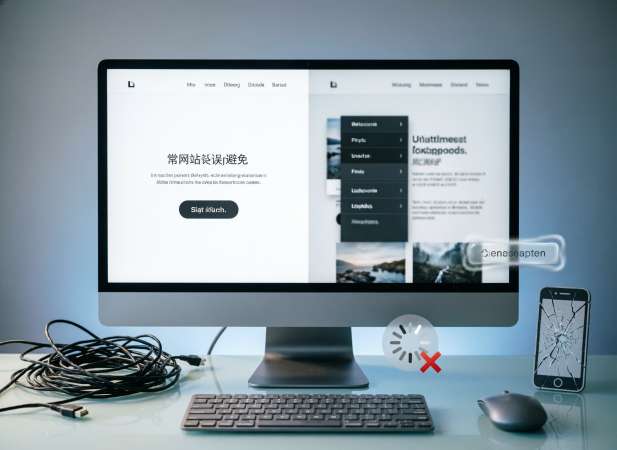
Your website is often the first interaction potential customers have with your brand, making its design critical for establishing trust and credibility. However, even well-intentioned projects can suffer from common website design mistakes that drive visitors away before they explore your offerings. Issues like slow loading speeds, confusing navigation, or non-responsive layouts can significantly harm your user experience and search engine rankings.
In this article, we identify the most frequent errors website owners make and provide actionable solutions to avoid them. Whether you are a beginner launching your first site or a business owner optimizing an existing platform, understanding these pitfalls is essential for long-term success. At Madar Host, we believe that great design combined with reliable hosting creates the foundation for a thriving online presence. Let us guide you through the key adjustments needed to ensure your site performs professionally and converts visitors into loyal customers.
Understanding the Impact of Poor Web Design on Your Business
A poorly designed website can silently undermine your business goals, regardless of product quality or marketing investment. When visitors encounter confusing navigation, slow page loads, or non-responsive layouts, they often leave within seconds—a behavior measured as a high bounce rate. This immediate disengagement signals to search engines that your site may not provide value, potentially lowering your organic visibility and reducing long-term traffic growth.
Beyond user experience metrics, design flaws directly affect conversion pathways. Unclear call-to-action buttons, inconsistent branding, or cluttered content layouts create friction that prevents visitors from completing desired actions, whether signing up, making a purchase, or contacting support. Over time, these micro-frustrations erode brand credibility and diminish customer trust, making it harder to retain audiences in competitive digital markets.
Technical performance is equally critical. Unoptimized images, excessive scripts, or inadequate hosting infrastructure can delay page rendering, negatively impacting Core Web Vitals—key factors in Google's ranking algorithm. A website that struggles with speed or stability not only loses potential customers but also misses opportunities to build authority through reliable, accessible content delivery.
For businesses relying on digital presence, aligning thoughtful design principles with reliable hosting infrastructure creates a foundation for sustainable growth. Professional web design paired with dependable server performance enhances user satisfaction, supports SEO objectives, and drives measurable business outcomes. By addressing design fundamentals early, you position your site to convert visitors into loyal customers while maintaining strong search engine positioning.
Top Visual and User Experience Mistakes
Visual clutter and inconsistent design elements create immediate friction for visitors trying to understand your website's purpose. When color schemes lack sufficient contrast, typography choices reduce readability, or branding elements appear disjointed across pages, users struggle to process information efficiently. These visual inconsistencies not only diminish perceived professionalism but also increase cognitive load, leading to higher bounce rates and reduced time-on-site metrics that search engines monitor closely.
Poor information architecture compounds these issues by making navigation unintuitive. Menus buried in unconventional locations, missing breadcrumb trails, or unclear labeling force users to guess rather than flow naturally through your content. A well-structured user journey guides visitors logically from awareness to action, while fragmented pathways disrupt conversion funnels and frustrate potential customers seeking specific information or services.
Accessibility oversights represent another critical UX failure that excludes portions of your audience. Ignoring WCAG guidelines—such as omitting alt text for images, lacking keyboard navigation support, or using color alone to convey meaning—creates barriers for users with disabilities. Beyond ethical considerations, accessible design expands your reachable market and aligns with search engine preferences for inclusive, user-centered websites.
Whitespace mismanagement and visual hierarchy confusion further degrade user experience. When pages lack adequate breathing room between elements or fail to prioritize content through size, placement, and emphasis, visitors cannot quickly identify key messages or calls-to-action. Strategic use of negative space and clear visual cues help direct attention, improve scannability, and support faster decision-making—essential factors for retaining traffic in competitive digital environments.
Overcomplicating Navigation and Site Layout
When website visitors cannot intuitively find what they need, frustration mounts and engagement plummets. A common structural error involves creating deep, multi-layered menu hierarchies that force users to click through excessive sub-menus to reach core content. This "click-depth" issue not only confuses human users but also hinders search engine crawlers from efficiently indexing your pages, potentially leaving valuable content invisible in search results. Effective information architecture prioritizes shallow, logical structures where critical pages are accessible within two or three clicks from the homepage.
Inconsistent layout patterns further disrupt the user journey. When navigation bars shift position, labeling conventions change between pages, or footer links disappear on specific sections, users lose their mental map of the site. This lack of predictability increases cognitive load, causing visitors to abandon the site rather than re-orient themselves. Standardizing navigation elements across all templates ensures a seamless experience, reinforcing brand reliability and keeping focus on your primary conversion goals.
Another frequent pitfall is overcrowding the interface with too many simultaneous options, often called "analysis paralysis." Presenting users with dozens of equally weighted links dilutes attention and obscures the primary call-to-action. Strategic design employs visual hierarchy to guide eyes toward key actions while grouping secondary resources logically. By simplifying choices and clarifying pathways, you reduce bounce rates and improve the likelihood of converting traffic into meaningful interactions.
Furthermore, neglecting mobile navigation complexity exacerbates these issues on smaller screens. Mega-menus designed for desktops often become unusable tangles on touch devices if not adapted correctly. Responsive design principles require streamlined mobile menus, such as hamburger icons with clear, expandable categories, ensuring usability regardless of device. Prioritizing clarity over complexity in your site layout builds a foundation for better retention, improved SEO performance, and a more professional digital presence.
Ignoring Mobile Responsiveness and Accessibility
With mobile devices accounting for the majority of global web traffic, failing to implement a mobile-first, responsive design directly limits your audience reach and search visibility. Websites that lack flexible grid layouts, scalable typography, or properly configured viewport meta tags force mobile users to pinch, zoom, and scroll horizontally—creating friction that increases bounce rates. Google's mobile-first indexing prioritizes sites that deliver seamless experiences across all screen sizes, making responsive adaptation a technical necessity, not an optional enhancement.
Accessibility oversights compound these issues by excluding users with disabilities. Ignoring WCAG guidelines—such as insufficient color contrast, missing ARIA labels, or non-functional keyboard navigation—creates barriers that prevent screen reader users or those with motor impairments from interacting with your content. Beyond ethical considerations, accessible design expands your potential market and aligns with search engine preferences for inclusive, user-centered websites that serve diverse audiences effectively.
Touch interface optimization is another critical factor often overlooked. Buttons and links that are too small, poorly spaced, or reliant on hover states fail on touchscreens, leading to accidental taps and user frustration. Implementing adequately sized touch targets (minimum 44x44 pixels), clear visual feedback, and swipe-friendly navigation ensures usability across smartphones and tablets. These refinements support better engagement metrics and reinforce professional credibility in an increasingly mobile-dependent digital landscape.
Furthermore, responsive design and accessibility directly influence Core Web Vitals—key ranking factors measuring loading performance, interactivity, and visual stability. A site that renders inconsistently across devices or lacks proper semantic HTML structure may suffer from layout shifts or delayed input response, negatively impacting SEO performance. By prioritizing adaptive layouts, inclusive coding practices, and thorough cross-device testing, you build a resilient foundation that supports both user satisfaction and sustainable organic growth.
Weak Call-to-Action Placement and Clarity
Even a visually appealing website fails to drive results when calls-to-action (CTAs) are poorly positioned or ambiguously worded. Visitors scanning your pages need clear, contextual cues that guide them toward the next logical step—whether contacting support, starting a trial, or exploring services. When CTAs are buried below the fold, hidden within dense paragraphs, or lack visual distinction, conversion opportunities diminish regardless of traffic volume.
Clarity in messaging is equally critical. Generic phrases like "Click Here" or "Learn More" provide insufficient context about the outcome of user interaction. Action-oriented language that communicates specific value—"Get Your Free Quote," "Start Your WordPress Site," or "View Hosting Plans"—reduces hesitation and aligns user expectations with intended actions. This precision supports both user experience and conversion rate optimization goals.
Visual hierarchy plays a decisive role in CTA effectiveness. Buttons that blend with background colors, use inconsistent styling across pages, or compete with too many other interactive elements create decision fatigue. Strategic use of contrasting colors, adequate whitespace, and consistent button sizing helps primary actions stand out without overwhelming the overall design. These refinements ensure users can quickly identify and engage with key conversion points.
Furthermore, CTA placement should align with user intent at different journey stages. Top-of-funnel visitors may respond better to educational offers, while bottom-of-funnel users seek direct purchasing paths. Mapping CTAs to content context and audience readiness—rather than applying a one-size-fits-all approach—maximizes relevance and improves the likelihood of meaningful engagement across diverse visitor segments.
Technical Performance Errors That Ruin Design
Visual design cannot exist in a vacuum; it relies heavily on underlying technical performance to deliver the intended experience. When backend inefficiencies interfere with frontend rendering, even the most polished layouts appear broken to the user. Slow server response times delay the Initial Contentful Paint, leaving visitors staring at a blank screen while your design assets struggle to load. This perceived lag undermines professional credibility before the user even sees your branding.
Render-blocking resources represent a critical failure point where excessive JavaScript or unminified CSS prevents the browser from constructing the visual interface promptly. When scripts execute before the DOM is ready, interactive elements may remain unresponsive, creating a disconnect between the static design and functional reality. Optimizing resource loading sequences ensures that visual hierarchy appears instantly, maintaining the flow intended by the design team.
Cumulative Layout Shift (CLS) is another technical error that directly corrupts design stability. When images, ads, or embeds load without predefined dimensions, surrounding content jumps unexpectedly, disrupting reading patterns and causing accidental clicks. This visual instability frustrates users and signals poor technical hygiene to search engines. Implementing explicit width and height attributes prevents these shifts, preserving the structural integrity of your layout across all sessions.
Furthermore, excessive DOM size and code bloat can strain browser rendering engines, causing stuttering animations or delayed hover effects that diminish perceived quality. These issues often stem from unoptimized themes or plugins that introduce unnecessary scripts. Regularly auditing technical performance ensures that creative elements function smoothly, regardless of traffic volume or server load.
Ultimately, design quality is measured by how consistently it renders under real-world conditions. Inadequate server resources or misconfigured caching can degrade visual fidelity during peak traffic. Aligning technical optimization with creative vision ensures that your website performs as beautifully as it looks, supporting both user satisfaction and long-term engagement metrics.
Using Unoptimized Images and Heavy Media Files
High-resolution visuals are essential for engaging design, but uploading raw, unoptimized files is a frequent error that severely degrades site performance. When images retain their original camera or studio dimensions—often several megabytes each—they consume excessive bandwidth and delay page rendering. This bloating directly impacts Largest Contentful Paint (LCP), a critical Core Web Vital, causing users to wait unnecessarily for hero banners and product galleries to appear.
Beyond file size, selecting the wrong format exacerbates loading issues. Using PNGs for complex photographs instead of compressed JPEGs or modern formats like WebP and AVIF results in significantly larger file sizes without visible quality gains. These legacy formats lack advanced compression algorithms, forcing browsers to download more data than required. Implementing next-generation image formats can reduce file weight by up to 30% while maintaining visual fidelity, ensuring faster delivery across diverse network conditions.
Heavy media files, including uncompressed videos and auto-playing background loops, further strain server resources and client-side processing. Embedding large video files directly rather than utilizing streaming platforms or lazy-loading techniques blocks the main thread, preventing other interactive elements from functioning smoothly. This resource contention leads to stuttering scrolling and delayed input response, creating a disjointed user experience that feels sluggish regardless of the visitor's device capabilities.
Moreover, failing to implement responsive image strategies means mobile devices often download desktop-sized assets only to scale them down visually. This waste of data and processing power increases bounce rates, particularly for users on limited cellular plans. Properly configuring srcset attributes ensures that the browser selects the most appropriate resolution for the specific viewport, optimizing load times and preserving server capacity for concurrent users.
Ultimately, media optimization is not just about shrinking files; it is about balancing aesthetic quality with technical efficiency. By compressing assets, choosing correct formats, and deferring non-critical media loading, you maintain a polished design that performs reliably under real-world traffic conditions.
Neglecting Page Loading Speed and Hosting Quality
Even the most meticulously crafted interface fails to engage users if the hosting environment cannot sustain optimal loading speeds. Page performance is intrinsically linked to server quality; a design heavy with dynamic elements requires robust infrastructure to render correctly. When Time to First Byte (TTFB) is compromised by low-tier hosting plans, the perceived value of the design diminishes immediately, leading to higher abandonment rates before content is even visible.
Resource allocation plays a pivotal role in maintaining design integrity under load. Inadequate CPU or memory limits cause processing bottlenecks, particularly for database-driven platforms like WordPress. During traffic spikes, insufficient resources lead to latency that disrupts animations, delays form submissions, and creates an inconsistent experience across user sessions. This instability erodes trust, regardless of visual polish.
Additionally, overlooking server-side caching and Content Delivery Network (CDN) integration limits global reach. Without edge computing capabilities, latency increases for users distant from the primary data center, causing regional disparities in load times. High-quality hosting configurations leverage these technologies to ensure uniform performance, preserving the intended user journey for every visitor.
Selecting infrastructure that matches your design complexity is essential for long-term viability. Scalable hosting solutions prevent downtime during growth phases, ensuring that your site remains accessible and responsive. By prioritizing server reliability alongside visual development, you create a resilient foundation that supports both user satisfaction and sustainable organic growth.
How to Build a Professional Website Without Errors
Constructing a flawless website begins long before the first line of code is written. Comprehensive planning through wireframing and prototyping allows you to identify structural weaknesses and user flow interruptions early in the development cycle. This preemptive strategy reduces the need for costly redesigns post-launch and ensures that both aesthetic and functional requirements align with business objectives from the outset.
Utilizing a staging environment is critical for error prevention. Testing design changes, plugin updates, or configuration shifts on a duplicate site safeguards the live version from downtime or broken layouts. This sandbox approach enables thorough quality assurance, allowing developers to verify cross-browser compatibility, mobile responsiveness, and code validation standards without risking active user experiences or search engine indexing.
Security protocols and maintenance routines are equally vital for sustained performance. Implementing SSL certificates, regular backup schedules, and automated security patches protects against vulnerabilities that could compromise design integrity or data safety. A professional site is not merely launched but maintained through consistent monitoring tools that alert administrators to uptime issues or performance degradation. Integrating design choices with server configurations ensures that dynamic elements function smoothly under varying traffic loads.
Finally, incorporate user feedback loops into your workflow. Real-world interaction data often reveals friction points invisible during development. By iterating based on analytics and user testing, you refine the interface continuously, ensuring the website evolves alongside audience needs. This disciplined approach to development and maintenance minimizes errors and establishes a resilient digital presence capable of supporting long-term growth.
Frequently Asked Questions About Website Design
How often should I update my website design? While complete redesigns are not needed annually, regular iterative updates ensure your site remains compatible with evolving browser standards and user expectations. Focus on refreshing content, optimizing performance, and adjusting navigation based on analytics rather than overhauling visual elements unnecessarily.
What is the most critical design element for SEO? Technical accessibility and page speed form the foundation of SEO-friendly design. Search engines prioritize sites that load quickly, render consistently across devices, and use semantic HTML structures. Visual elements should enhance, not hinder, these core performance metrics.
Should I prioritize mobile or desktop design first? Adopting a mobile-first approach is now industry best practice. With mobile traffic dominating global usage, designing for smaller screens first ensures essential content and functionality are prioritized. This strategy naturally scales up to desktop experiences while maintaining performance and usability standards.
How do I know if my website design is effective? Monitor key engagement metrics such as bounce rate, average session duration, and conversion pathways. User testing and heatmapping tools provide qualitative insights into navigation friction. When design aligns with user intent and technical performance, these indicators reflect sustained engagement and goal completion.
What are the most common website design mistakes beginners make?
Beginners often prioritize aesthetics over functionality, resulting in sites that look appealing but perform poorly. Common errors include using too many fonts, ignoring white space, skipping mobile testing, and neglecting clear navigation paths. Focusing on user-centered design principles from the start helps avoid these pitfalls and creates a more effective online presence.
How does poor website design affect SEO rankings?
Search engines evaluate user experience signals like bounce rate, page speed, and mobile-friendliness. A confusing layout, slow loading times, or non-responsive design can increase abandonment, signaling low quality to algorithms. Clean code, fast performance, and intuitive structure support both users and search visibility.
Why is my website not converting visitors into customers?
Low conversion rates often stem from unclear value propositions, weak calls-to-action, or friction in the user journey. If visitors cannot quickly understand what you offer or how to take the next step, they leave. Simplifying messaging, optimizing button placement, and reducing form fields can significantly improve conversion performance.
What makes a website look unprofessional?
Visual inconsistencies like mismatched colors, low-resolution images, broken links, or outdated copyright dates undermine credibility. Additionally, spelling errors, intrusive pop-ups, and lack of contact information create distrust. Maintaining brand consistency and technical accuracy reinforces a polished, trustworthy impression.
How can I tell if my website design is outdated?
Signs include non-responsive layouts, excessive use of Flash or heavy animations, cluttered interfaces, and lack of modern security indicators like HTTPS. If your site hasn't been updated in over three years or fails Core Web Vitals assessments, it likely needs a refresh to meet current user and search engine expectations.
What is the ideal page load speed for a website?
Google recommends pages load within 2-3 seconds for optimal user experience. Faster load times correlate with lower bounce rates and higher conversions. Regular performance audits, image optimization, and reliable hosting help maintain speed standards that satisfy both visitors and search algorithms.
Should I use a website builder or hire a professional designer?
Website builders offer affordability and speed for simple projects, while professional designers provide custom solutions tailored to complex business goals. Consider your technical skills, scalability needs, and branding requirements. For long-term growth and unique functionality, expert guidance often delivers better ROI.
How does website accessibility impact legal compliance and user reach?
Adhering to WCAG guidelines ensures your site is usable by people with disabilities, expanding your audience and reducing legal risk. Features like keyboard navigation, alt text, and proper contrast ratios not only support inclusivity but also improve SEO and overall usability for all visitors.

