How to Choose a Web Hosting Provider That Fits Your Needs
Print- 1
How to Choose a Web Hosting Provider That Fits Your Needs
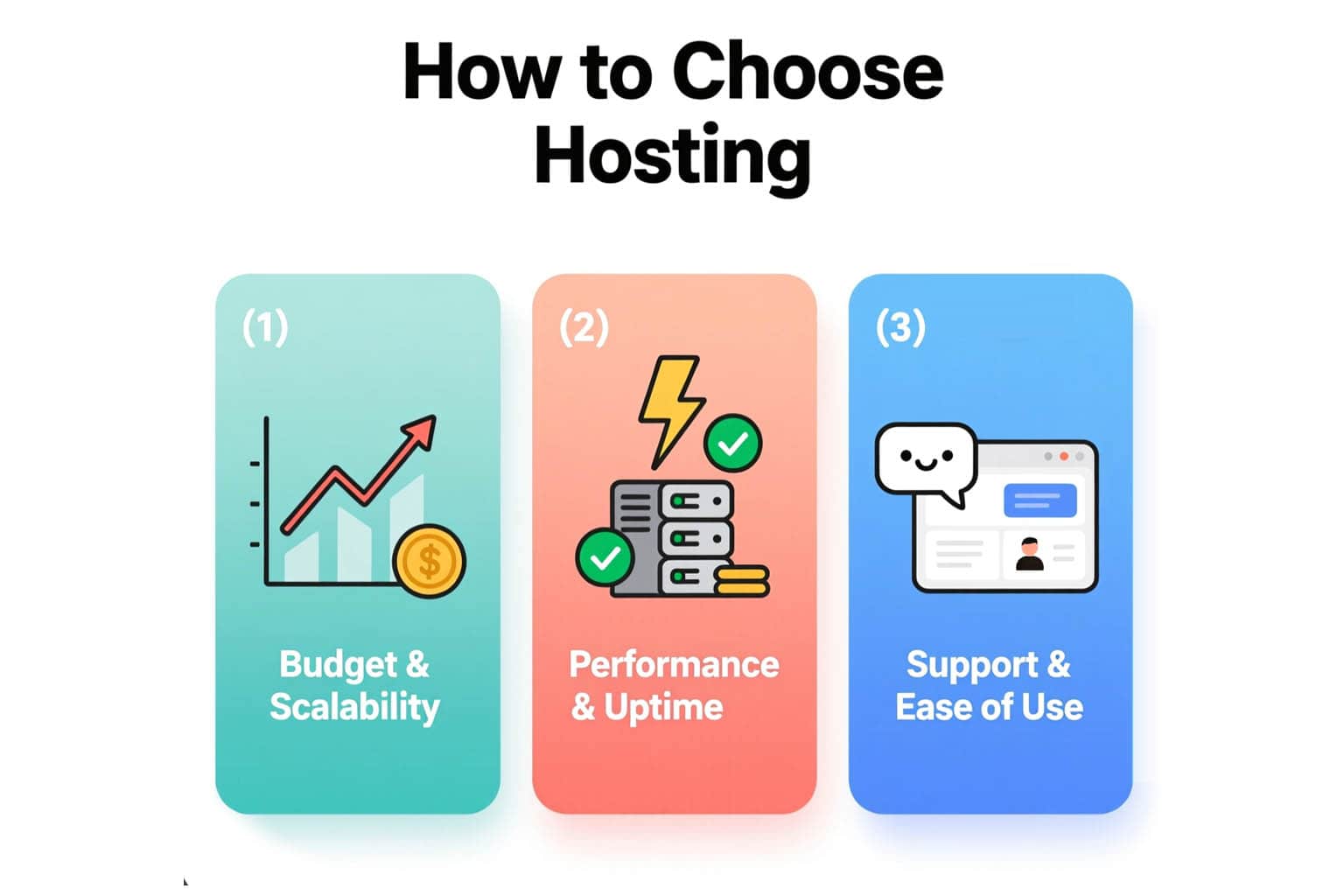
Understand Your Website’s Hosting Requirements
Choosing the right web hosting starts with a clear assessment of your website’s technical and operational needs. Not all sites require the same server resources, security configurations, or performance capabilities. A personal blog, for instance, has vastly different demands than an e-commerce platform processing hundreds of transactions daily.
Begin by evaluating your site’s core characteristics: Is it built on WordPress, a custom CMS, or a static framework? What is your expected traffic volume—dozens, thousands, or tens of thousands of monthly visitors? Does your site rely heavily on databases, media files, or real-time interactions? These factors directly influence the type of hosting environment you need.
Resource requirements—such as CPU allocation, RAM, storage type (SSD vs. NVMe), and bandwidth—are not arbitrary numbers. They determine how quickly pages load, how reliably your site stays online during traffic spikes, and how securely data is handled. Under-provisioning leads to slow performance and downtime; over-provisioning wastes budget without added benefit.
Equally important is considering future growth. A scalable hosting solution allows you to upgrade seamlessly as your audience expands, without complex migrations or service interruptions. Managed services, such as optimized WordPress hosting or managed VPS, can also reduce technical overhead while ensuring best practices in caching, updates, and security hardening.
Lastly, align your choice with your technical expertise. If you lack server management experience, a fully managed plan provides peace of mind through proactive monitoring, automated backups, and expert support—critical for maintaining uptime and trust.
Compare Different Types of Web Hosting Services
Selecting the right web hosting service begins with understanding the core differences between available hosting models. Each type—shared, WordPress-optimized, VPS, dedicated, and cloud—serves distinct technical needs, traffic expectations, and growth trajectories.
shared hosting is ideal for beginners and small websites with modest traffic. It offers affordability and simplicity but shares server resources among many users, which can impact performance during traffic spikes.
WordPress hosting builds on shared or VPS infrastructure but is fine-tuned specifically for WordPress sites. It includes optimized PHP configurations, caching layers, and security rules tailored to WordPress’s architecture, delivering better speed and reliability for CMS-driven sites.
VPS (Virtual Private Server) hosting provides isolated resources within a physical server, offering consistent performance, root access, and greater control. It suits growing websites, e-commerce stores, or applications requiring custom configurations without the cost of a full server.
Dedicated server hosting grants exclusive access to an entire physical machine. This option delivers maximum power, security, and customization—best suited for large-scale operations, high-traffic platforms, or resource-intensive applications that demand full hardware control.
Cloud hosting distributes resources across a scalable network of servers, ensuring high availability and elastic scaling. Unlike traditional setups, it minimizes downtime from hardware failure and adapts dynamically to traffic surges, making it ideal for unpredictable or seasonal workloads.
Beyond infrastructure, consider management level: managed plans include server maintenance, security patches, and technical support, while unmanaged options place full responsibility on the user. The right choice balances performance, control, budget, and your technical capacity.
Shared Hosting: Best for Beginners and Small Sites
Shared hosting is the most accessible and cost-effective entry point into web hosting, making it ideal for beginners, personal blogs, small business websites, and low-traffic projects. In this model, multiple websites reside on a single physical server, sharing its resources—such as CPU, RAM, and bandwidth—under managed partitions that ensure basic stability and security.
The primary advantage of shared hosting lies in its simplicity. Users benefit from pre-configured environments, intuitive control panels like cPanel or DirectAdmin, and minimal technical overhead. Tasks such as file management, email setup, database creation, and one-click application installations are streamlined, allowing non-technical users to launch and manage websites without coding knowledge.
Performance on shared hosting is sufficient for sites with modest traffic—typically under 10,000 monthly visitors—provided the hosting provider implements fair resource allocation and robust server optimization. Modern shared plans often include SSD storage, free SSL certificates, and automated backups, enhancing both speed and reliability.
However, shared hosting has inherent limitations. Because resources are shared, a sudden traffic spike on another site can temporarily impact performance. Additionally, customization options are restricted; users cannot modify core server settings or install certain software packages. This trade-off between affordability and flexibility is intentional—it prioritizes ease of use over advanced control.
For those starting out, shared hosting offers a practical foundation to validate ideas, build an online presence, and learn web management fundamentals. It’s also a scalable stepping stone: as traffic grows or technical needs evolve, migrating your site to VPS or managed WordPress hosting becomes a natural progression.
WordPress Hosting: Optimized for WordPress Sites
WordPress hosting is a specialized hosting environment engineered specifically for websites built on the WordPress platform. Unlike generic shared hosting, it’s fine-tuned at the server level to align with WordPress’s technical requirements—delivering enhanced performance, tighter security, and simplified management.
This optimization begins with server configuration: PHP versions are kept current and compatible, MySQL databases are tuned for WordPress queries, and caching layers (such as OPcache, Redis, or server-level page caching) are pre-integrated to accelerate content delivery. These adjustments reduce load times significantly, especially for dynamic pages and high-traffic posts.
Security is another critical focus. WordPress hosting typically includes hardened configurations that block common attack vectors—like XML-RPC abuse, brute-force login attempts, and outdated plugin exploits—while maintaining compatibility with core updates and trusted plugins. Many providers also offer automatic core updates, malware scanning, and one-click restore points.
From a usability standpoint, WordPress hosting often features streamlined workflows: one-click staging environments, automated backups with granular restore options, and integrated tools for performance monitoring. Support teams are trained specifically in WordPress issues, reducing troubleshooting time for problems related to themes, plugins, or database errors.
It’s important to note that WordPress hosting isn’t a different product category—it’s usually implemented as an optimized layer over shared, VPS, or managed infrastructure. The key distinction lies in how the server stack is configured and maintained, not in the underlying hardware.
For sites fully dependent on WordPress—whether blogs, business websites, or e-commerce stores using WooCommerce—this tailored environment ensures stability, scalability, and long-term maintainability without requiring deep technical expertise from the user.
VPS hosting: More Control and Scalability
VPS (Virtual Private Server) hosting bridges the gap between shared hosting and dedicated servers, offering a balanced solution for websites that have outgrown basic plans but aren’t yet ready for full server ownership. It provides dedicated resources—CPU, RAM, and storage—within a virtualized environment on a physical server, ensuring consistent performance unaffected by neighboring sites.
Unlike shared hosting, where resources are fluid and contention is common, VPS hosting guarantees allocation through virtualization technology. This isolation delivers greater stability, enhanced security, and predictable performance—critical for growing businesses, e-commerce stores, and dynamic applications.
One of VPS’s defining advantages is administrative control. Users typically receive root or SSH access, enabling full customization of the server environment: installing specific software stacks, configuring firewalls, optimizing databases, or fine-tuning caching mechanisms. This level of control is invaluable for developers and technically inclined users who require flexibility beyond standard hosting limitations.
Scalability is another core strength. As traffic or resource demands increase, most VPS plans allow seamless vertical scaling—upgrading RAM, CPU, or storage—often without migration or downtime. This adaptability supports organic growth while maintaining cost efficiency compared to dedicated hardware.
VPS hosting comes in two primary forms: managed and unmanaged. Managed VPS includes proactive maintenance, security updates, backups, and technical support, making it accessible even to non-technical users. Unmanaged VPS places full responsibility on the user but offers maximum freedom and lower cost.
For sites experiencing performance bottlenecks on shared hosting, or those requiring custom configurations, VPS represents a strategic upgrade that aligns performance, control, and future readiness.
Dedicated Server Hosting: Maximum Power and Security
Dedicated server hosting provides exclusive access to an entire physical server, delivering unmatched performance, complete resource control, and the highest level of security available in web hosting. Unlike shared or virtualized environments, every CPU core, gigabyte of RAM, and storage unit is dedicated solely to your website or application—eliminating resource contention and external interference.
This setup is engineered for high-demand scenarios: large e-commerce platforms processing thousands of transactions, enterprise applications handling sensitive data, media-rich sites serving high-definition content, or any project requiring consistent, predictable performance under heavy load. With full root access, you gain granular control over the operating system, software stack, firewall rules, and server configurations—enabling deep customization to meet exact technical requirements.
Security is significantly enhanced through physical isolation. Without neighboring tenants, attack surfaces are reduced, and compliance with data protection standards (such as PCI-DSS or GDPR) becomes more achievable. You can implement custom intrusion detection systems, hardened kernels, and encrypted storage without compromise.
However, dedicated hosting demands greater technical responsibility. Unless opting for a fully managed plan—which includes proactive monitoring, patching, backups, and 24/7 support—server maintenance falls entirely on the user. This makes it essential to either possess advanced sysadmin skills or partner with a provider offering robust managed services.
While the investment is higher than VPS or shared solutions, the value lies in reliability, scalability, and performance sovereignty—critical for mission-critical operations where downtime or latency directly impacts revenue and reputation.
Evaluate Performance and Uptime Reliability
Performance and uptime are foundational to both user experience and search engine rankings. A hosting provider’s ability to deliver consistent speed—through modern hardware like NVMe SSDs, optimized server stacks, and efficient caching—and maintain high availability directly impacts your site’s credibility and functionality.
Look for providers that guarantee at least 99.9% uptime, backed by transparent monitoring and service-level agreements (SLAs). Frequent downtime not only frustrates visitors but also signals instability to search engines, potentially harming organic visibility. Independent uptime reports or third-party tools can help verify real-world reliability beyond marketing claims.
Check Security Features and Data Protection
Security is non-negotiable. A trustworthy host implements layered protection: firewalls (such as Imunify360 or ModSecurity), DDoS mitigation, malware scanning, and automatic patching. For WordPress sites, specialized hardening rules and login protection are essential.
Equally critical is data integrity. Ensure your provider offers automated, off-server backups with easy restoration options. Encryption at rest and in transit (via free SSL/TLS certificates) should be standard. Compliance with data protection standards further validates a provider’s commitment to safeguarding your content and user information.
Assess Customer Support Quality and Availability
Technical issues don’t follow business hours. Reliable 24/7 support—accessible via live chat, phone, or ticketing—is vital, especially for non-technical users. Evaluate response time, technical depth, and problem resolution efficiency, not just availability.
Support teams should understand common hosting challenges, from DNS misconfigurations to performance bottlenecks, and offer actionable guidance—not scripted replies. For mission-critical sites, proactive monitoring and expert intervention can mean the difference between minutes and hours of downtime.
Review Pricing, Renewal Rates, and Hidden Fees
Transparent pricing is a hallmark of a trustworthy hosting provider. While introductory offers may appear attractive, the true cost of hosting emerges at renewal—and often includes overlooked fees that impact long-term value.
Many providers advertise low entry-level prices but significantly increase rates upon renewal. Always compare both initial and renewal pricing to avoid budget surprises. A plan that costs $3/month for the first year but jumps to $12/month afterward may be less economical than a slightly higher upfront rate with stable renewal terms.
Beyond base hosting fees, scrutinize potential hidden charges:
- Domain registration or transfer fees—some hosts include a free domain for the first year but charge premium rates for renewal or transfer.
- SSL certificate costs—while Let’s Encrypt offers free SSL, some providers upsell paid certificates unnecessarily.
- Backup or migration services—often excluded from basic plans despite being critical for site integrity.
- Resource overage fees—common in shared hosting, where exceeding CPU or bandwidth limits triggers unexpected charges or service throttling.
Additionally, verify whether essential features like email accounts, CDN integration, or staging environments are included or sold as add-ons. A “cheap” plan requiring multiple paid upgrades can quickly surpass the cost of a more comprehensive package.
For sustainable hosting, prioritize providers that offer clear, consistent pricing structures, disclose all potential fees upfront, and align renewal costs with market standards. This transparency not only protects your budget but also reflects the provider’s commitment to long-term customer trust.
Look for Scalability and Upgrade Options
Scalability is a critical—but often overlooked—factor when choosing a web hosting solution. A site that performs well today may struggle tomorrow as traffic grows, content expands, or functionality evolves. The right hosting plan should not only meet current needs but also support seamless growth without requiring complex migrations or extended downtime.
Vertical scalability—increasing CPU, RAM, or storage within the same environment—is essential for handling traffic spikes or adding resource-intensive features like e-commerce carts, membership systems, or media galleries. VPS and cloud hosting excel here, allowing upgrades in minutes without changing your server’s core configuration.
Horizontal scalability—adding servers or leveraging load balancing—is more relevant for large-scale applications and is typically found in cloud or dedicated environments. However, even small-to-medium sites benefit from providers that offer clear upgrade paths: from shared to VPS, from VPS to managed cloud, or to a dedicated server as needed.
Equally important is the ease of migration. A reputable host ensures smooth transitions between plans, preserving data integrity, DNS settings, and SEO value. Look for providers that automate backups, offer staging environments, and support one-click restores—features that reduce risk during upgrades.
Managed services further simplify scalability. With proactive monitoring and expert support, you can scale confidently, knowing performance bottlenecks will be addressed before they impact users.
Choosing a scalable hosting solution isn’t about anticipating every future need—it’s about ensuring flexibility to adapt as your project evolves. This forward-thinking approach protects your investment and maintains user trust through every phase of growth.
Read Real User Reviews and Expert Recommendations
Before committing to a hosting provider, it’s essential to go beyond marketing claims and examine real-world experiences. Authentic user reviews and expert evaluations offer valuable insights into actual performance, support responsiveness, and long-term reliability—factors that specifications alone cannot reveal.
User reviews—especially detailed ones from verified customers—highlight recurring patterns: consistent uptime, speed under load, ease of migration, or hidden limitations in resource allocation. Look for feedback from users with needs similar to yours (e.g., WordPress sites, e-commerce stores, or high-traffic blogs) to gauge relevance.
However, not all reviews are equally reliable. Prioritize platforms that verify purchases or host community-driven discussions over anonymous testimonials. Be wary of overly generic praise or repetitive phrasing, which may indicate incentivized or fabricated content.
Expert recommendations add another layer of credibility. Reputable tech reviewers and industry analysts test hosting providers under controlled conditions, measuring real metrics like Time to First Byte (TTFB), server response under stress, backup integrity, and support ticket resolution times. These assessments often uncover nuances missed by casual users—such as how a host handles traffic spikes or implements security patches.
Together, user experiences and expert analysis help you avoid common pitfalls: oversold shared servers, slow support escalation, or misleading “unlimited” resource claims. They also reveal strengths that matter most—like proactive monitoring, transparent communication during outages, or seamless scalability.
Frequently Asked Questions
What is the best type of hosting for a new website or blog?
For new websites, personal blogs, or small business sites with low to moderate traffic (under 10,000 monthly visitors), shared hosting is typically the best starting point. It’s affordable, easy to use, and requires no technical expertise. If your site runs on WordPress, consider WordPress-optimized hosting for better speed, security, and support—even at the beginner level.
Is WordPress hostingworth it if I already have shared hosting?
Yes—if your site is built on WordPress and you care about performance, security, or growth. WordPress hosting includes server-level optimizations like caching, PHP tuning, and WordPress-specific security rules that standard shared hosting lacks. While shared hosting can run WordPress, optimized hosting delivers faster load times, fewer compatibility issues, and expert support for CMS-related problems.
When should I upgrade from shared hosting to VPS?
Upgrade to VPS when you experience frequent slowdowns, traffic spikes cause downtime, or you need more control over server settings (e.g., installing custom software or managing databases). VPS is also ideal if your site handles e-commerce, collects user data, or expects consistent growth—typically when monthly visitors exceed 20,000–30,000.
Does hosting affect my website’s SEO ranking?
Yes, indirectly but significantly. Google considers page speed, mobile usability, and uptime as ranking factors—all of which depend on your hosting quality. Slow-loading pages increase bounce rates, while frequent downtime can hurt crawlability and indexation. Choosing reliable, fast hosting with SSD/NVMe storage and a strong uptime record supports better SEO performance.
How important is 24/7 customer support in web hosting?
Extremely important—especially if you’re not technically skilled. Server issues, security breaches, or configuration errors can happen anytime. A responsive, knowledgeable support team available via live chat or phone can resolve critical problems quickly, minimizing downtime and data loss. Always test support responsiveness before purchasing.
Are “unlimited” hosting plans truly unlimited?
No. Most “unlimited” shared hosting plans come with fair usage policies that limit CPU, RAM, or concurrent processes. If your site exceeds these hidden thresholds—common with high-traffic blogs or resource-heavy plugins—you may face throttling, suspension, or forced upgrades. Always review the provider’s terms of service for actual resource limits.
Can I switch hosting providers without losing my website or email?
Yes, with proper planning. Reputable hosts offer free migration services or detailed guides to transfer files, databases, and email accounts safely. Ensure DNS settings are updated correctly and backups are verified before switching. A smooth migration preserves SEO rankings, avoids downtime, and keeps your email history intact.
What security features should I look for in a hosting provider?
Essential security features include free SSL certificates, automatic malware scanning, DDoS protection, web application firewalls (like Imunify360 or ModSecurity), and regular server updates. For WordPress sites, look for login hardening, XML-RPC protection, and one-click restore points. Automated off-server backups are also critical for data recovery.
Is cloud hosting better than VPS for growing websites?
Cloud hosting offers greater resilience and scalability than traditional VPS because it uses multiple servers instead of one physical machine. If your traffic is unpredictable, seasonal, or rapidly growing, cloud hosting adapts dynamically without manual upgrades. However, managed VPS may be simpler and more cost-effective for steady, predictable growth.
How do renewal prices compare to introductory hosting rates?
Introductory rates are often heavily discounted, but renewal prices can be 2–3 times higher. Always check the renewal cost before buying—some $3/month plans jump to $12+/month after the first term. Transparent providers display both prices upfront. Avoid long-term commitments unless renewal rates are reasonable and aligned with market standards.
Do I need a dedicated server for my business website?
Only if your site has very high traffic (100,000+ monthly visitors), handles sensitive transactions, or requires full server customization (e.g., custom software stacks or compliance needs like PCI-DSS). Most small-to-medium business sites perform well on managed VPS or cloud hosting—dedicated servers are overkill unless you truly need exclusive hardware.
Can I start cheap and scale later without rebuilding my site?
Yes—most reputable hosts allow seamless upgrades from shared to VPS, cloud, or dedicated plans without changing your domain or redesigning your site. Look for providers that offer automated backups, staging environments, and one-click scaling. Starting affordably and scaling as needed is a smart, budget-conscious strategy for most projects.

