WordPress Security: Essential Practices to Pro tect Your Website
Print- 0
WordPress Security: Essential Practices to Pro tect Your Website
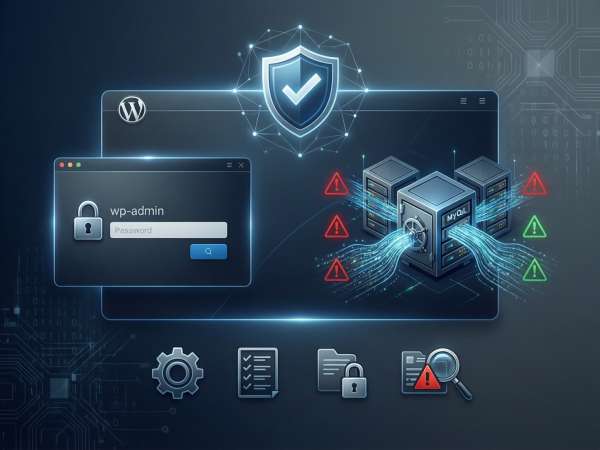
Why WordPress Security Matters for Every Website Owner
WordPress powers over 43% of all websites globally, making it a prime target for cyber threats. Its open-source nature and vast ecosystem of themes and plugins offer flexibility—but also introduce vulnerabilities if not properly managed. For every website owner, security isn’t optional; it’s foundational to maintaining trust, performance, and continuity.
A compromised site can lead to data theft, defacement, blacklisting by search engines, or even complete loss of control. Malware injections often go unnoticed until visitors report warnings or traffic drops abruptly. Beyond reputational damage, breaches may violate data protection regulations, especially for e-commerce or service-based sites handling user information.
Many assume that basic hosting or a free plugin is enough. However, true WordPress security requires layered protection: hardened core configurations, vetted plugins, regular updates, secure authentication, and server-level safeguards like firewalls and intrusion detection. Even a personal blog can become an entry point to broader network attacks if left exposed.
Your hosting environment plays a critical role. Shared servers with poor isolation can allow cross-site contamination, while optimized WordPress-optimized hosting reduces attack surfaces through pre-configured security policies, automatic patching, and isolated execution environments.
Security also directly impacts SEO and user experience. Google flags unsafe sites, browsers block access, and bounce rates spike when trust erodes. Conversely, a secure, stable site builds credibility—essential whether you’re running a portfolio, business, or online store.
Understanding your infrastructure is the first step. Learn how servers work and why resource isolation matters. Then, implement proactive measures—not as an afterthought, but as part of your site’s operational DNA.
Common WordPress Security Threats You Should Know
WordPress’s popularity makes it a frequent target for cyberattacks. Understanding the most prevalent threats is essential to implementing effective protection strategies.
Brute force attacks exploit weak login credentials by systematically guessing usernames and passwords. Default usernames like “admin” and simple passwords dramatically increase vulnerability.
Malware infections often occur through compromised plugins or themes. Once injected, malicious code can create backdoors, redirect traffic, or steal sensitive data without visible signs.
Outdated software—including core files, plugins, or themes—is one of the leading causes of breaches. Known vulnerabilities in outdated components are actively exploited by automated bots.
SQL injection (SQLi) and cross-site scripting (XSS) target poorly coded forms or inputs. These attacks manipulate database queries or inject malicious scripts into pages viewed by visitors.
File inclusion exploits take advantage of misconfigured servers or vulnerable plugins to load unauthorized external files, potentially granting full server access.
Many of these threats stem from preventable oversights: using pirated themes, ignoring updates, or hosting on under-resourced shared environments with poor isolation. A secure foundation starts with choosing a hosting setup that enforces resource separation and proactive monitoring—especially as your site grows beyond basic shared plans.
For sites handling transactions or user data, even minor vulnerabilities can lead to compliance issues or loss of visitor trust. Learn how different hosting types impact security posture, and why infrastructure matters as much as software hygiene.
Brute Force Attacks and Login Vulnerabilities
Brute force attacks exploit weak authentication protocols by systematically attempting thousands of username and password combinations until access is granted. WordPress sites using default credentials like “admin” or simple passwords are especially vulnerable. These attacks consume server resources, trigger account lockouts, and may lead to full site compromise if successful.
Effective mitigation includes enforcing strong, unique passwords, enabling two-factor authentication (2FA), and limiting login attempts through security plugins or server-level rules. Additionally, changing the default login URL and disabling XML-RPC when unused reduces exposure to automated bots.
Malware Infections and Backdoor Scripts
Malware in WordPress often enters through outdated themes, plugins, or compromised admin accounts. Once injected, malicious scripts—such as backdoors, SEO spam injectors, or redirectors—can operate silently, stealing data, defacing content, or enlisting your site in botnets.
Backdoor scripts are particularly dangerous because they allow attackers persistent access even after initial vulnerabilities are patched. They commonly hide in media folders, plugin directories, or disguised as core files. Regular file integrity checks, malware scanning, and restricting file permissions are essential defenses.
A secure hosting environment significantly reduces infection risk. Isolated execution environments, such as those in VPS hosting, prevent cross-site contamination and limit the blast radius of potential breaches. Combined with proactive monitoring and clean code practices, this layered approach forms the backbone of robust WordPress security.
Outdated Plugins, Themes, and Core Files
One of the most common—and preventable—WordPress security risks stems from outdated software components. The WordPress ecosystem relies on a core platform, themes, and plugins, each of which receives regular updates to patch vulnerabilities, fix bugs, and improve compatibility. When any of these elements fall out of date, they become entry points for attackers.
Core WordPress updates often include critical security patches addressing exploits discovered in previous versions. Similarly, premium and free plugins or themes may contain flaws that, if left unpatched, allow remote code execution, privilege escalation, or data leakage. Many breaches occur not because of zero-day exploits, but because known vulnerabilities in outdated code are targeted by automated scanning tools.
Third-party plugins pose a particularly high risk when abandoned by developers or downloaded from unofficial sources. These may lack ongoing support, contain hidden malware, or never receive security fixes. Even widely used plugins can become liabilities if site owners delay updates after vulnerability disclosures.
Maintaining current versions isn’t just about installing updates—it’s about proactive management. Enable automatic background updates for minor core releases where possible, and establish a routine to review and test major updates in a staging environment before deploying them live. Remove unused themes and plugins entirely; inactive code still resides on the server and can be exploited.
Additionally, verify that all themes and plugins originate from trusted repositories like the official WordPress Plugin Directory or reputable vendors. Avoid nulled or “free premium” versions, as they frequently include backdoors or obfuscated malicious scripts.
Regular audits of your site’s software stack—combined with a disciplined update policy—are fundamental to reducing attack surface. In a hosting context, this practice complements server-level protections: even the most secure infrastructure cannot fully compensate for vulnerable application-layer code. Keeping every component up to date is not optional maintenance; it’s a core requirement of responsible website ownership.
SQL Injection and Cross-Site Scripting (XSS)
SQL Injection (SQLi) and Cross-Site Scripting (XSS) are two of the most prevalent and damaging web application vulnerabilities affecting WordPress sites. Both exploit insufficient input validation but target different layers of a website’s infrastructure.
SQL Injection occurs when an attacker injects malicious SQL code through unprotected form fields, URL parameters, or cookies. This can allow unauthorized access to, modification of, or deletion from the site’s database—including user credentials, content, and configuration settings. Poorly coded plugins or custom themes that directly concatenate user input into database queries without sanitization are common culprits.
Cross-Site Scripting, on the other hand, involves injecting malicious JavaScript into pages viewed by other users. Stored XSS permanently embeds the script in the database (e.g., via comment forms or user profiles), while reflected XSS delivers it through manipulated links. Once executed in a visitor’s browser, XSS payloads can hijack sessions, redirect users to phishing pages, or exfiltrate sensitive data.
While WordPress core includes built-in protections like prepared statements and escaping functions (esc_html(), wp_kses(), etc.), these safeguards are only effective if developers use them consistently. Third-party plugins and custom code often bypass these measures, creating exploitable gaps.
Mitigation requires a defense-in-depth approach: always validate and sanitize user input on both client and server sides, use WordPress’s native data-handling functions, and keep all code components updated. Additionally, implementing a Web Application Firewall (WAF) at the server level can block known attack patterns before they reach your application.
For site owners, minimizing risk starts with avoiding poorly maintained plugins, disabling unnecessary features like comments or user registration if unused, and conducting periodic security audits. Even seemingly benign contact forms can become vectors if not properly secured.
These vulnerabilities underscore a critical principle: security is not solely a hosting responsibility—it’s a shared obligation between infrastructure, platform, and application layers. Understanding how SQLi and XSS operate empowers you to make informed decisions about the code you install and the configurations you trust.
How to Secure Your WordPress Site: Step-by-Step Best Practices
Securing a WordPress site requires a layered, proactive approach that addresses both software and infrastructure vulnerabilities. Implementing these best practices significantly reduces exposure to common threats.
1. Keep Everything Updated Regularly update WordPress core, themes, and plugins. Enable automatic minor core updates and manually review major releases. Remove unused plugins and themes—they remain exploitable even when inactive.
2. Enforce Strong Authentication Use complex, unique passwords and avoid shared credentials. Replace the default “admin” username. Enable two-factor authentication (2FA) for all user accounts, especially those with administrative privileges.
3. Limit Login Attempts Configure your site to block repeated failed login attempts. This mitigates brute force attacks by temporarily locking out suspicious IP addresses after a set number of tries.
4. Install a Reputable Security Plugin Use a well-maintained security plugin to provide malware scanning, file integrity monitoring, firewall rules, and activity logging. Ensure it’s actively supported and compatible with your setup.
5. Maintain Regular Backups Schedule automated, offsite backups of your entire site—including files and database. Test restoration periodically to ensure recoverability in case of compromise or data loss.
6. Enable HTTPS with a Valid SSL Certificate Encrypt all data transmitted between users and your site. Modern hosting environments typically include free SSL certificates; ensure yours is properly installed and enforced sitewide.
7. Disable File Editing in Dashboard Add define('DISALLOW_FILE_EDIT', true); to your wp-config.php file. This prevents attackers from modifying theme or plugin code directly through the WordPress admin—even if they gain access.
8. Harden File and Directory Permissions Set appropriate permissions: 644 for files and 755 for directories. Restrict write access to only essential folders like /wp-content/uploads/.
These measures form a foundational security posture. While no system is 100% immune, consistent application of these steps dramatically raises the barrier against automated and opportunistic attacks. Security is not a one-time task but an ongoing discipline integrated into daily site management.
Keep WordPress Core, Themes, and Plugins Updated
Maintaining up-to-date software is one of the most effective defenses against WordPress security threats. The core platform, along with themes and plugins, receives regular updates that address vulnerabilities, patch bugs, and enhance compatibility. Neglecting these updates leaves known exploits exposed to automated scanners and malicious actors.
WordPress core updates are rigorously tested and often include critical security fixes. Minor releases (e.g., 6.5.1 to 6.5.2) typically deploy automatically by default for security and maintenance, but major version upgrades require manual intervention. It’s essential to apply these promptly while verifying compatibility with your current setup.
Themes and plugins—especially third-party ones—are frequent attack vectors. Developers issue patches when flaws are discovered, but these only protect your site if applied. Outdated or abandoned plugins pose significant risks, as they may contain unpatched vulnerabilities or hidden backdoors. Always audit your installed extensions: remove unused items, and replace any that lack recent updates or active support.
Automatic updates can streamline maintenance, but they should be used judiciously. Enable them for minor core releases and trusted plugins with a proven stability record. For major changes or complex sites, test updates in a staging environment first to avoid breaking functionality.
Beyond security, updates improve performance, accessibility, and compliance with modern web standards. They also ensure compatibility with newer PHP versions and hosting environments, which directly impacts speed and reliability.
Proactive update management is not optional upkeep—it’s a fundamental layer of website hygiene. Combined with secure hosting practices and vigilant monitoring, it forms a robust foundation for long-term site integrity, user trust, and operational resilience.
Use Strong Passwords and Enable Two-Factor Authentication (2FA)
Weak credentials remain one of the most exploited vulnerabilities in WordPress security. A strong password policy combined with two-factor authentication (2FA) significantly reduces the risk of unauthorized access, even if login details are compromised.
A robust password should be at least 12 characters long, combining uppercase and lowercase letters, numbers, and special symbols. Avoid dictionary words, personal information, or predictable sequences like “123456” or “password.” Instead, use a password manager to generate and store unique, complex passwords for each account. Reusing passwords across sites multiplies risk—if one service is breached, others become vulnerable.
Beyond passwords, enabling 2FA adds a critical second layer of verification. Even if an attacker obtains your password, they cannot log in without the second factor—typically a time-based one-time code from an authenticator app (like Google Authenticator or Authy), a hardware token, or a verified device. SMS-based 2FA is less secure due to SIM-swapping risks and should be avoided when better options exist.
In WordPress, 2FA can be implemented via trusted security plugins that support standards like TOTP (Time-Based One-Time Password). Ensure it’s enforced for all administrative and editor-level users, not just the primary account. Some hosting environments also offer server-level 2FA for SSH or control panel access, adding another barrier against server intrusion.
Additionally, avoid using the default “admin” username. Create a unique, non-guessable username during installation or rename it afterward. This simple step thwarts automated brute force scripts that target common usernames.
Strong authentication isn’t just about protecting your dashboard—it safeguards your entire site ecosystem. Compromised accounts can lead to content defacement, malware injection, data theft, or use of your server for spam and phishing. By enforcing stringent credential policies and adopting 2FA universally, you transform your login process from a vulnerability into a resilient checkpoint.
Limit Login Attempts to Prevent Brute Force Attacks
Brute force attacks rely on automated tools that rapidly test thousands of username and password combinations in an attempt to gain unauthorized access to your WordPress admin area. Without protective measures, even strong passwords can eventually be compromised through sheer volume of attempts—especially if common usernames like “admin” are used.
Limiting login attempts is a highly effective countermeasure. By restricting the number of failed login tries from a single IP address within a defined time window, you disrupt automated attack patterns and significantly reduce the likelihood of successful intrusion. After exceeding the threshold, the system temporarily blocks further attempts—either by locking the IP, delaying responses, or requiring additional verification.
This security layer operates at minimal cost to legitimate users while imposing substantial barriers on attackers. Most brute force bots abandon targets after encountering consistent resistance, moving on to more vulnerable sites.
Implementation can occur at multiple levels: - **Application level**: Security plugins can enforce login attempt limits directly within WordPress, often with customizable thresholds and ban durations. - **Server level**: Web application firewalls (WAFs) or server rules (via .htaccess, NGINX, or ModSecurity) can block repeated POST requests to wp-login.php before they even reach WordPress, reducing server load and improving response efficiency. - **Network level**: Some hosting providers offer built-in rate limiting or bot mitigation services that filter malicious traffic upstream.
For enhanced protection, combine login attempt limits with other measures: rename the login URL, disable XML-RPC if unused, and ensure strong passwords with two-factor authentication. These strategies work synergistically to harden your authentication gateway.
Crucially, this defense should be proactive—not reactive. Waiting until an attack occurs risks performance degradation, log flooding, or accidental lockouts during high-traffic events. Configuring attempt limits during initial setup ensures continuous, silent protection against one of the most common and persistent threats facing WordPress sites today.
Install a Trusted WordPress Security Plugin
A reputable security plugin serves as a centralized layer of defense for your WordPress site. It can provide real-time malware scanning, file integrity monitoring, firewall rules, login protection, and activity logging—all essential for detecting and mitigating threats early. However, not all plugins are equal: choose one that is actively maintained, regularly updated, and developed by a team with a proven track record in WordPress security. Avoid plugins with excessive permissions, poor reviews, or infrequent updates, as they may introduce vulnerabilities rather than prevent them. The goal is to enhance security without compromising performance or stability.
Regularly Back Up Your Website
Backups are your last line of defense when prevention fails. A complete, restorable backup—including all files, themes, plugins, and the database—ensures you can recover quickly from hacking incidents, accidental deletions, failed updates, or server failures. Automate backups on a consistent schedule (daily for active sites) and store copies offsite or in a separate location from your live environment. Never rely solely on hosting provider backups, as retention policies may be limited or restoration processes slow. Test your backups periodically by restoring them in a staging environment to confirm integrity and completeness. In cybersecurity, resilience isn’t just about avoiding breaches—it’s about minimizing downtime and data loss when incidents occur. A reliable backup strategy transforms potential disasters into manageable recoveries.
Use HTTPS with an SSL Certificate
Implementing HTTPS via an SSL (Secure Sockets Layer) or TLS (Transport Layer Security) certificate is a non-negotiable standard for modern websites. It encrypts all data exchanged between a visitor’s browser and your server—protecting login credentials, form submissions, payment details, and session cookies from interception by malicious actors on the same network.
Beyond security, HTTPS directly impacts trust and performance. Browsers like Chrome and Firefox flag non-HTTPS sites as “Not Secure,” which deters visitors and harms credibility. Search engines prioritize secure sites in rankings, making SSL a baseline requirement for SEO. Additionally, many modern web features—including geolocation, service workers, and HTTP/2—require HTTPS to function.
Today, obtaining an SSL certificate is straightforward. Most hosting providers offer free Let’s Encrypt certificates that auto-renew, eliminating cost and complexity barriers. Once installed, ensure your entire site enforces HTTPS by redirecting all HTTP traffic, updating internal links, and setting a secure HSTS (HTTP Strict Transport Security) policy where appropriate.
Common pitfalls include mixed content—where secure pages load resources (images, scripts, stylesheets) over HTTP—which breaks encryption and triggers browser warnings. Use tools like the WordPress Health Check or browser developer consoles to identify and fix these issues. Also, verify that your SSL covers all subdomains if used (e.g., www and non-www versions), and that certificate chains are properly configured to avoid validation errors.
For e-commerce stores, membership sites, or any platform handling user data, HTTPS isn’t just best practice—it’s a legal and ethical obligation under data protection frameworks like GDPR. Even for static blogs or portfolios, it signals professionalism and technical diligence.
In essence, SSL is foundational infrastructure, not an optional add-on. A valid, properly implemented certificate ensures confidentiality, integrity, and authenticity in every user interaction—making it one of the simplest yet most impactful security measures you can deploy.
Disable File Editing in the WordPress Dashboard
WordPress includes a built-in file editor that allows administrators to modify theme and plugin files directly from the dashboard. While convenient for quick tweaks, this feature poses a significant security risk if an attacker gains administrative access—even temporarily. Malicious actors can inject backdoors, redirect scripts, or obfuscated malware into core files without needing FTP or server-level access.
Disabling the file editor eliminates this attack vector by removing the ability to edit PHP files through the admin interface. This is achieved by adding a single line to your wp-config.php file: define('DISALLOW_FILE_EDIT', true); Once enabled, the “Theme Editor” and “Plugin Editor” menus disappear entirely, preventing both accidental and malicious code modifications.
This measure aligns with the principle of least privilege: users should only have the minimum permissions necessary to perform their tasks. Most professional developers manage code changes via version control, staging environments, and secure deployment workflows—not live editing. For site owners, disabling this feature reduces the chance of breaking functionality through unintended edits while hardening the site against post-compromise exploitation.
Importantly, this setting does not affect your ability to update themes or plugins through official channels. It only blocks direct code manipulation in the dashboard, which is rarely needed in well-managed sites. If customizations are required, they should be implemented in a child theme or custom plugin—best practices that also survive updates.
From a hosting and security operations perspective, disabling file editing is a standard hardening step recommended by security professionals and compliance frameworks. It’s a small configuration change with a high impact on reducing post-breach persistence options for attackers. Combined with strong authentication, regular updates, and proper file permissions, it forms part of a defense-in-depth strategy that prioritizes resilience over convenience.
Change the Default “admin” Username
Using “admin” as a username is one of the most common and avoidable security oversights in WordPress. During early versions of the platform, this was the default account name, and although newer installations prompt for a custom username, many sites—especially older ones—still rely on it. This predictability makes brute force and credential-stuffing attacks dramatically more effective, as attackers only need to guess the password rather than both username and password.
Changing the default “admin” username significantly raises the barrier to unauthorized access. Without knowing a valid username, automated bots must either enumerate users (e.g., via author archives or API endpoints) or guess blindly—both of which are slower and less reliable. While WordPress now blocks user enumeration by default in recent versions, legacy configurations or poorly coded plugins may still expose this information.
To mitigate this risk, create a new administrator-level user with a unique, non-guessable username—avoid real names, company handles, or common terms. Once confirmed working, reassign all content originally attributed to “admin” to the new account, then delete the old “admin” user (ensuring content isn’t reassigned back to it during deletion). Never reuse “admin” even with a strong password; the goal is to eliminate predictable entry points entirely.
For existing sites where changing the username directly isn’t feasible, consider disabling XML-RPC, restricting REST API user enumeration, and using security plugins to block login attempts targeting known usernames. Additionally, ensure your login page doesn’t reveal username hints through error messages—generic responses like “Invalid credentials” are safer than specifying whether the username or password was incorrect.
This practice reflects a core tenet of cybersecurity: reduce attack surface by removing low-hanging fruit. While not a standalone solution, renaming the default administrator account is a simple, high-impact step that complements stronger authentication, login attempt limits, and 2FA. In a layered defense model, every eliminated assumption gives attackers one more obstacle—and one more reason to move on to an easier target.
Advanced WordPress Security Measures for Developers and Businesses
While foundational security practices protect most WordPress sites, businesses and developers managing high-traffic, e-commerce, or data-sensitive platforms require deeper, proactive defenses. These advanced measures address complex threat models and ensure resilience against targeted attacks.
Web Application Firewall (WAF) A WAF acts as a shield between your site and incoming traffic, filtering malicious requests before they reach your server. It blocks common attack patterns like SQL injection, XSS, and brute force attempts using real-time rule sets. Cloud-based WAFs also offer DDoS mitigation and bot management—critical for maintaining uptime during traffic surges or coordinated attacks.
Secure Hosting Environment Shared hosting may suffice for small sites, but businesses should consider isolated environments like VPS, cloud, or managed WordPress hosting with hardened configurations. Features such as containerization, kernel-level protection, restricted file permissions, and automatic patching reduce the risk of cross-site contamination and privilege escalation.
Security Headers and Hardening Implement HTTP security headers (e.g., Content Security Policy, X-Frame-Options, X-XSS-Protection) to control browser behavior and mitigate client-side threats. Disable unnecessary PHP functions (exec, system), restrict file execution in upload directories, and disable directory indexing via server configuration.
Audit Logging and Monitoring Deploy comprehensive activity logging to track user actions, file changes, and login events. Real-time alerts for suspicious behavior—such as multiple failed logins, core file modifications, or admin role changes—enable rapid incident response. Integrate logs with monitoring tools for centralized visibility.
Principle of Least Privilege Assign user roles based on necessity. Avoid granting administrator access for routine tasks. Use custom roles or plugins to fine-tune capabilities, reducing the impact of compromised accounts.
These strategies reflect a mature security posture—one that anticipates threats rather than merely reacting to them. For developers, this means baking security into deployment pipelines; for businesses, it means treating website integrity as critical infrastructure. Advanced protection isn’t about complexity—it’s about intentional, layered defense aligned with operational risk.
Implement a Web Application Firewall (WAF)
A Web Application Firewall (WAF) is a critical security layer that filters, monitors, and blocks malicious HTTP/S traffic before it reaches your WordPress site. Unlike traditional firewalls that operate at the network level, a WAF inspects application-layer requests—identifying and mitigating threats such as SQL injection, cross-site scripting (XSS), file inclusion exploits, and brute force attacks in real time.
WAFs work by applying a set of customizable rules or signatures based on known attack patterns (often aligned with OWASP Top 10 vulnerabilities). When a request matches a malicious pattern—such as an encoded script tag in a form field or an unusually high volume of login attempts—the WAF blocks or challenges it, often without impacting legitimate users.
There are three primary WAF deployment models: - Cloud-based WAFs (e.g., via CDN providers) offer ease of use, automatic updates, and DDoS protection, making them ideal for most businesses. - Server-level WAFs (like ModSecurity with custom rule sets) provide granular control but require technical expertise to configure and maintain. - Plugin-based WAFs operate within WordPress and can be useful for specific protections, though they lack the performance and scope of infrastructure-level solutions.
For WordPress sites handling sensitive data, transactions, or high traffic, a cloud-based WAF is strongly recommended. It not only enhances security but also improves performance through caching and offloads resource-intensive filtering from your origin server.
Effective WAF implementation includes regular rule updates, monitoring of false positives, and integration with logging systems to detect emerging threat patterns. Some advanced WAFs also offer bot mitigation, rate limiting, and behavioral analysis to stop zero-day exploits and credential stuffing.
While a WAF is not a substitute for secure coding or timely updates, it serves as a powerful safety net—especially when vulnerabilities exist in third-party plugins or during the window between exploit discovery and patch deployment. In enterprise and business contexts, a properly configured WAF is a cornerstone of a defense-in-depth strategy, significantly reducing the attack surface and providing immediate protection against automated and targeted threats.
Secure Your Hosting Environment
Your WordPress site’s security begins at the server level. Even the most meticulously coded website can be compromised if hosted on an insecure or poorly configured environment. A hardened hosting setup is essential for isolating your site, minimizing attack surfaces, and ensuring rapid response to threats.
Shared hosting environments, while cost-effective, often lack sufficient isolation between accounts. If one site on the server is breached, others may be exposed through local privilege escalation or shared resource exploitation. For businesses, developers, or high-traffic sites, consider isolated solutions such as VPS, cloud hosting, or managed WordPress hosting with containerization or virtualized resources. These provide dedicated memory, CPU, and file system boundaries that limit lateral movement in case of compromise.
Key server-level protections include: - Operating system hardening: Regular kernel updates, disabled unused services, and restricted user permissions. - Secure PHP configuration: Disabling dangerous functions (eval, exec, shell_exec), enforcing open_basedir restrictions, and running PHP under isolated users (e.g., PHP-FPM pools). - File system integrity: Immutable files for core WordPress components, proper ownership (e.g., non-root web user), and strict directory permissions (755 for folders, 644 for files). - Intrusion detection: Tools like fail2ban or custom log monitors that detect and block suspicious activity patterns in real time.
Additionally, ensure your host enforces automatic malware scanning, provides clean restore points, and supports secure protocols like SSH key authentication and SFTP instead of FTP. Email and database services should also be secured with TLS encryption and strong access controls.
A secure hosting environment doesn’t eliminate the need for application-level security—but it dramatically raises the cost and complexity for attackers. When combined with HTTPS, WAF protection, and disciplined update practices, it forms a resilient foundation that protects not only your data but also your visitors’ trust and your brand’s reputation. For any serious WordPress deployment, infrastructure security is not optional—it’s foundational.
Monitor User Activity and Audit Logs
Proactive monitoring of user activity and system logs is essential for detecting suspicious behavior, investigating incidents, and maintaining accountability on WordPress sites—especially those managed by multiple users or handling sensitive data. Without visibility into who did what and when, breaches may go unnoticed until significant damage occurs.
Audit logging captures critical events such as logins (successful and failed), password changes, role modifications, plugin/theme installations, file edits, and content deletions. This timeline enables administrators to identify anomalies—like an admin login at 3 a.m. from an unfamiliar location or bulk post deletions by a compromised account.
Effective monitoring goes beyond basic logging. It involves real-time alerts for high-risk actions (e.g., new administrator creation, core file changes), geolocation tracking of login attempts, and integration with security tools to correlate events across layers (application, server, network). For businesses, this supports compliance with internal policies and external regulations requiring audit trails.
While WordPress does not include comprehensive native logging, trusted security plugins can fill this gap by recording detailed activity histories and offering searchable dashboards. On the server side, access logs, error logs, and authentication logs (e.g., via SSH or control panel) should be retained securely and reviewed periodically. Ensure logs are stored separately from the web root to prevent tampering if the site is compromised.
Best practices include: - Enabling two-factor authentication for all privileged accounts to reduce false positives from credential theft. - Assigning unique user accounts—never sharing logins—to maintain clear attribution. - Setting up email or dashboard notifications for critical events. - Archiving logs offsite for forensic analysis if needed.
Monitoring is not about surveillance—it’s about resilience. In the event of a breach, audit logs provide the evidence needed to understand the attack vector, scope of impact, and steps required for remediation. For developers and businesses, this capability transforms reactive firefighting into proactive risk management, reinforcing both technical and operational security posture.
Signs Your WordPress Site Has Been Compromised
A compromised WordPress site often shows subtle warning signs before catastrophic damage occurs. Recognizing these indicators early can prevent data loss, reputational harm, and prolonged downtime.
1. Unexpected Website Behavior Sudden redirects to spam or phishing pages, injected pop-ups, or defaced content are classic symptoms. However, more covert attacks may only alter metadata or inject hidden links without visible changes.
2. Unusual User Accounts or Admin Changes Check your user list for unfamiliar accounts—especially those with administrator privileges. Attackers often create backdoor users to maintain access even after initial vulnerabilities are patched.
3. Unknown Files or Code Modifications New PHP files in upload directories, obfuscated code in theme/plugin files, or unexpected .htaccess rules can indicate malware injection. Use file integrity monitoring to detect unauthorized changes.
4. Search Engine Warnings Google Safe Browsing or browser alerts labeling your site as “dangerous” typically follow malware detection. These warnings drastically reduce traffic and trust.
5. Spikes in Resource Usage Unexplained CPU or bandwidth surges may signal your server is being used to send spam, host malicious content, or participate in DDoS botnets.
6. Failed Login Notifications or Locked-Out Users Brute force campaigns or credential stuffing can trigger account lockouts or generate numerous failed login alerts in your logs.
7. Blacklisted IP or Domain If your site’s IP or domain appears on spam or malware blocklists (e.g., Spamhaus, VirusTotal), it’s likely been weaponized without your knowledge.
8. SEO Spam in Source Code Hidden keywords, fake pharmaceutical links, or cloaked content inserted into your pages aim to manipulate search rankings—often invisible to visitors but detectable in page source or via SEO tools.
Many breaches operate silently for weeks or months. Regular security scans, log reviews, and uptime monitoring are essential for early detection. If you observe any of these signs, immediately isolate the site, restore from a clean backup, and conduct a full forensic audit before reconnecting to production.
What to Do If Your WordPress Site Is Hacked
If your WordPress site is compromised, act swiftly but methodically to contain damage and restore integrity. First, take the site offline or restrict public access to prevent further harm to visitors or data exfiltration. Next, scan your local environment for malware to ensure your own device isn’t the source of reinfection.
Restore from a known-clean backup—ideally one created before the breach occurred. Avoid restoring from recent backups if the compromise went undetected for weeks, as malware may be included. After restoration, update WordPress core, themes, and plugins to their latest versions. Change all passwords: WordPress users, hosting accounts, FTP/SFTP, database, and associated email addresses.
Remove unused plugins and themes, and audit active ones for legitimacy. Reinstall all plugins and themes from official sources—even if they appear intact—to eliminate hidden backdoors. Add define('DISALLOW_FILE_EDIT', true); to wp-config.php to disable dashboard file editing. Finally, implement preventive measures: enable two-factor authentication, limit login attempts, install a security plugin, and consider a Web Application Firewall (WAF).
Frequently Asked Questions (FAQ)
How can I tell if my WordPress site has been hacked?
Common signs include unexpected redirects, unknown admin users, spammy content, sudden traffic drops, or warnings from Google Search Console. Running a malware scan with a security plugin or online scanner can help confirm a compromise.
Is WordPress secure by default?
WordPress core is regularly updated and secure when properly maintained, but its open-source nature and widespread use make it a frequent target. Security largely depends on user practices—such as updating plugins, using strong passwords, and installing SSL.
Do I really need a WordPress security plugin?
While not mandatory, a reputable security plugin (like Wordfence or Sucuri) adds critical layers of protection—malware scanning, firewall rules, login hardening, and activity monitoring—that are difficult to implement manually, especially for non-developers.
How often should I back up my WordPress site?
Back up your site at least once a week, or daily if you publish content frequently or run an e-commerce store. Always create a backup before making major changes like updating plugins or switching themes.
Can outdated plugins really compromise my site?
Yes. Outdated plugins are among the most common entry points for hackers. Vulnerabilities in old versions are often publicly documented, making them easy targets. Always remove unused plugins and keep active ones updated.
What’s the best way to protect my WordPress login page?
Use strong, unique passwords, enable two-factor authentication (2FA), change the default “admin” username, and limit login attempts. Consider hiding or renaming the login URL for added obscurity.
Does using HTTPS improve WordPress security?
Absolutely. HTTPS encrypts data between your site and visitors, preventing man-in-the-middle attacks and protecting sensitive information like login credentials. Most hosting providers offer free SSL certificates via Let’s Encrypt.
Should I disable file editing in WordPress?
Yes. Disabling the built-in theme and plugin editor (via wp-config.php) prevents attackers from modifying your code if they gain admin access. It also reduces accidental breakage during manual edits.
How does a Web Application Firewall (WAF) protect WordPress?
A WAF filters malicious traffic before it reaches your site, blocking common threats like SQL injection, XSS, and brute force attacks. It’s especially valuable for sites on shared hosting with limited server-level security.
Can my hosting provider affect WordPress security?
Definitely. Managed WordPress hosts often include built-in security features like automatic updates, malware scanning, isolated environments, and DDoS protection. Choosing a reputable, security-focused host is a foundational step.

