Shared Hosting vs VPS Hosting: Which One Is Right for Your Website?
Print- 0
Shared Hosting vs VPS Hosting: Which One Is Right for Your Website?
What Is Shared Hosting?
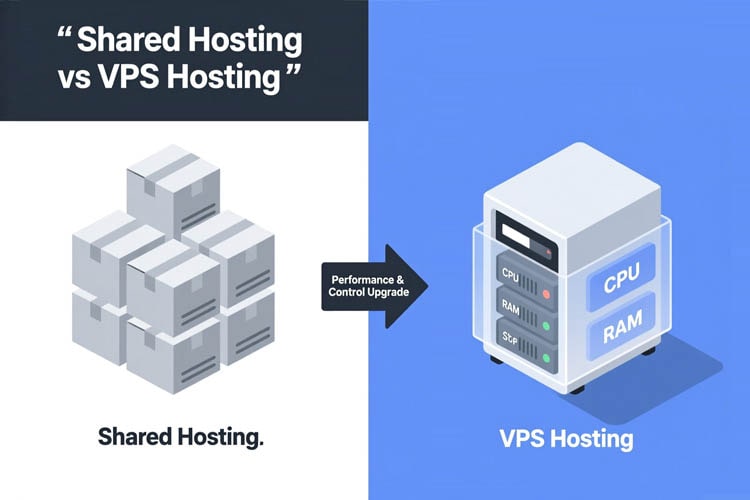
Shared hosting is a web hosting model where multiple websites reside on the same physical server and share its underlying resources—such as CPU, RAM, disk space, and bandwidth. This architecture allows hosting providers to distribute infrastructure costs across numerous users, making it one of the most cost-effective solutions for launching and maintaining a website.
In a shared environment, each account operates within an isolated user space managed by a control panel (like cPanel or DirectAdmin), ensuring basic separation between sites. However, because system resources are pooled, performance can be influenced by the collective behavior of all hosted accounts. For instance, if one site experiences a traffic spike or consumes excessive resources, neighboring sites may experience temporary slowdowns—a trade-off inherent to this model.
Despite these limitations, shared hosting remains highly suitable for beginners, personal blogs, small business websites, and low-traffic portfolios. It requires minimal technical knowledge, offers pre-configured environments for popular platforms like WordPress, and includes essential features such as email hosting, automated backups, and one-click application installers.
Reliability in shared hosting depends heavily on the provider’s server management practices, including resource allocation policies, security hardening, and uptime monitoring. Reputable hosts implement fair usage rules and proactive monitoring to prevent any single account from degrading overall server performance.
For those starting out or running lightweight websites, shared hosting provides a balanced entry point—offering accessibility, affordability, and sufficient performance without the complexity of server administration. As your site grows, transitioning to more robust solutions like VPS or managed WordPress hosting becomes a natural next step.
Learn more about the fundamentals of web hosting in our beginner’s guide: What Is Web Hosting? A Complete Guide for Beginners.
What Is VPS Hosting?
VPS (Virtual Private Server) hosting is a web hosting solution that uses virtualization technology to partition a single physical server into multiple isolated virtual environments. Each VPS functions as an independent server with dedicated resources—such as CPU, RAM, and storage—allocated exclusively to your account, even though it shares the underlying hardware with other users.
Unlike shared hosting, where resources are pooled and performance can fluctuate based on neighboring sites’ activity, VPS hosting guarantees consistent performance through resource isolation. This makes it ideal for websites that have outgrown shared hosting but don’t yet require a full dedicated server.
VPS hosting offers root-level access, allowing full control over the operating system, software stack, and server configurations. This level of customization is particularly valuable for developers, e-commerce stores, and growing businesses that need specific security settings, custom applications, or optimized environments for platforms like WordPress.
There are two main types of VPS hosting: managed and unmanaged. Managed VPS includes technical support, automated updates, security hardening, and performance monitoring—ideal for users who want power without complexity. Unmanaged VPS places full administrative responsibility on the user, offering maximum flexibility at the cost of requiring technical expertise.
Performance in VPS hosting is further enhanced by modern infrastructure such as SSD or NVMe storage, which significantly improves data read/write speeds compared to traditional hard drives. Combined with proper server tuning and caching mechanisms, VPS delivers reliable speed, stability, and scalability for medium-traffic websites and resource-intensive applications.
For a clear overview of how VPS compares to other hosting models, see our guide: Shared Hosting vs VPS: Which One Is Right for Your Website?.
Key Differences Between Shared Hosting and VPS Hosting
The fundamental distinction between shared hosting and VPS hosting lies in how server resources are allocated and managed. In shared hosting, multiple websites share the same physical server and its resources—CPU, RAM, storage, and bandwidth—without strict isolation. This setup keeps costs low but introduces performance variability, as one site’s traffic spike or misconfiguration can impact others on the same server.
VPS hosting, by contrast, uses virtualization to partition a single physical server into isolated virtual environments. Each VPS receives a guaranteed allocation of resources that cannot be consumed by neighboring accounts. This architectural difference ensures consistent performance, greater stability, and enhanced security.
Beyond resource allocation, control is another critical differentiator. Shared hosting typically restricts users to a preconfigured environment with limited access to server settings—ideal for beginners but restrictive for growing sites. VPS hosting grants root or administrator access, enabling full customization of the operating system, software stack, security rules, and performance optimizations.
Scalability also diverges significantly. Shared hosting plans offer minimal room for growth; once resource limits are reached, performance degrades. VPS hosting allows seamless vertical scaling—adding more CPU, RAM, or storage as needed—making it suitable for evolving websites, e-commerce stores, and applications requiring reliable infrastructure.
From a technical standpoint, VPS environments support advanced features like custom firewalls, dedicated IP addresses, and tailored caching layers, which are either unavailable or shared in standard hosting. However, this flexibility often requires greater technical knowledge—unless a managed VPS solution is chosen, where the provider handles maintenance, updates, and monitoring.
Resource Allocation
Resource allocation refers to how computing resources—such as CPU, RAM, storage, and bandwidth—are distributed among websites or applications hosted on a server. This mechanism is a defining factor in performance, stability, and scalability, and it differs significantly between shared hosting and VPS hosting.
In shared hosting, resources are pooled and dynamically shared among dozens or even hundreds of websites on the same physical server. While this model reduces costs, it introduces unpredictability: if one site consumes excessive resources due to traffic spikes or inefficient code, neighboring sites may experience slowdowns or temporary unavailability. Hosting providers typically enforce "fair usage" policies to mitigate abuse, but true isolation is not possible in this environment.
VPS hosting, by contrast, uses virtualization technology to allocate dedicated portions of server resources to each user. Each VPS operates in an isolated container with guaranteed CPU cores, RAM, and storage—resources that cannot be consumed by other accounts. This ensures consistent performance regardless of what other users on the same physical server are doing. For example, a VPS with 4 GB RAM will always have access to that full amount, whereas a shared hosting account might only get a fraction of the server’s total memory during peak loads.
Beyond raw allocation, the quality of underlying hardware also matters. Modern VPS environments often run on SSD or NVMe storage, which dramatically improves I/O performance compared to traditional hard drives commonly used in budget shared plans. Additionally, virtualized environments allow for precise control over resource limits, enabling better planning for traffic growth and application demands.
For mission-critical applications—such as e-commerce stores, membership sites, or high-traffic blogs—predictable resource allocation is not a luxury but a necessity. It directly impacts page load times, database responsiveness, and overall user experience, all of which influence conversion rates and search engine rankings.
Performance and Speed
Performance and speed are critical indicators of a hosting environment’s quality, directly influencing user experience, search engine rankings, and conversion rates. In shared hosting, performance is inherently variable because all websites on the server compete for the same CPU, RAM, and I/O resources. A traffic spike or resource-intensive process on one site can degrade performance for others—a limitation known as the “noisy neighbor” effect.
VPS hosting eliminates this issue through resource isolation. Each virtual server receives a guaranteed allocation of CPU cores, memory, and storage I/O, ensuring consistent response times regardless of neighboring workloads. This architectural advantage translates into faster page loads, quicker database queries, and more reliable handling of concurrent visitors—especially important for e-commerce stores, membership sites, or content-heavy platforms.
Beyond resource allocation, underlying hardware plays a decisive role. Modern VPS environments often leverage SSD or NVMe storage, which deliver significantly higher read/write speeds than traditional hard drives commonly used in budget shared plans. Combined with optimized web stacks (such as LiteSpeed, NGINX, or PHP-FPM) and server-level caching, VPS setups can achieve sub-second load times even under moderate traffic.
Moreover, performance in VPS hosting is predictable and scalable. If your site grows, you can increase allocated resources without migrating to a new server—ensuring uninterrupted service and sustained speed. In contrast, shared hosting offers no such flexibility; once resource limits are hit, performance degrades until you upgrade to a different plan type.
Scalability and Flexibility
Scalability and flexibility determine how well your hosting environment can adapt to your website’s growth and changing technical needs. In shared hosting, scalability is inherently limited. Resources are fixed within the plan’s boundaries, and once your site outgrows its allocated share—due to traffic spikes, added features, or increased content—you typically face performance degradation or forced migration to a new plan, often with downtime or complex data transfer.
VPS hosting, by contrast, offers granular scalability. Because your virtual environment runs on dedicated slices of CPU, RAM, and storage, most providers allow you to upgrade individual resources—such as adding more memory or CPU cores—without rebuilding your server or migrating your site. This vertical scaling happens in minutes, ensuring uninterrupted service even during traffic surges or seasonal peaks.
Beyond resource scaling, VPS provides architectural flexibility. You can install custom software stacks, configure firewalls, fine-tune PHP or MySQL settings, and deploy specialized caching layers—all tailored to your application’s requirements. This level of control is essential for e-commerce platforms, membership sites, or custom web applications that demand specific runtime environments.
Shared hosting restricts such customization to maintain stability across hundreds of accounts, limiting you to preconfigured options. While this simplifies management for beginners, it becomes a bottleneck as your technical needs evolve.
Moreover, VPS environments support horizontal scaling strategies when needed—such as offloading databases or media to separate instances—something impossible in shared setups. This future-proofing ensures your infrastructure grows intelligently alongside your business goals.
Security and Isolation
Security and isolation are critical differentiators between shared hosting and VPS hosting, directly impacting your website’s resilience against threats and its operational independence.
In shared hosting, all websites on a server share the same operating system environment and user space. While basic security measures like firewalls and malware scanners are typically in place, the lack of true isolation means that a vulnerability or compromise on one account can potentially affect others. This “neighbor risk” is a known limitation of shared environments, especially when users install unvetted plugins, outdated software, or poorly coded themes.
VPS hosting, by contrast, leverages virtualization to create fully isolated containers. Each VPS runs its own instance of the operating system with dedicated resources, separate user accounts, and independent configurations. This architectural separation ensures that even if another VPS on the same physical server is compromised, your environment remains unaffected. Additionally, you can implement custom security policies—such as hardened SSH access, application-specific firewalls, and intrusion detection systems—that aren’t possible in shared setups.
For e-commerce stores, membership sites, or any platform handling sensitive data, this level of isolation significantly reduces attack surface and enhances compliance with security best practices. You also gain control over patching schedules, user permissions, and service-level hardening—critical for maintaining trust and protecting user data.
While managed VPS solutions often include proactive security monitoring and automated updates, even unmanaged VPS environments offer a fundamentally more secure foundation than shared hosting due to their inherent separation.
## Technical Control and Root Access
Technical Control and Root Access
Technical control and root access define the level of administrative authority a user has over their hosting environment. This capability is a critical differentiator between shared hosting and VPS hosting, directly influencing customization, security, and operational flexibility.
In shared hosting, users operate within a restricted environment managed entirely by the provider. Access is limited to a control panel (such as cPanel or DirectAdmin), where actions like managing files, emails, or databases are permitted—but core server settings, software versions, and system-level configurations remain off-limits. This model ensures stability across hundreds of accounts but sacrifices adaptability for advanced use cases.
VPS hosting, by contrast, typically grants full root (on Linux) or administrator (on Windows) access. This means you can install custom software stacks, configure firewalls, fine-tune PHP or MySQL parameters, compile modules, and implement specialized caching or security layers. For developers, agencies, or businesses running custom applications—such as bespoke e-commerce platforms, SaaS tools, or high-traffic WordPress sites—this level of control is essential for optimization and compliance.
Root access also enables precise performance tuning. You can adjust kernel settings, manage resource limits via systemd or cgroups, and deploy monitoring tools that aren’t available in shared environments. However, this power comes with responsibility: misconfigurations can affect stability or security, which is why many users opt for managed VPS plans, where the provider handles system maintenance while preserving root-level customization.
For those who need both autonomy and reliability, VPS strikes the optimal balance—offering the freedom of a dedicated server without its complexity or cost.
Pricing and Value for Money
Pricing and value for money are critical considerations when comparing shared hosting and VPS hosting—but cost alone is not a reliable indicator of quality. The true measure lies in what you receive relative to your website’s performance, stability, and growth potential.
Shared hosting typically offers the lowest entry price, making it attractive for beginners, personal blogs, or small informational sites with minimal traffic. However, this affordability comes with trade-offs: limited resources, shared performance, and restricted control. While sufficient for basic needs, shared plans often reach their limits quickly as traffic or functionality grows, potentially leading to hidden costs from downtime, poor user experience, or premature migration.
VPS hosting commands a higher price due to dedicated resources, enhanced isolation, and greater technical control. This investment translates into tangible benefits: consistent speed, improved security, and the ability to scale without service interruption. For growing businesses, e-commerce stores, or content-heavy sites, VPS delivers superior long-term value by preventing performance bottlenecks and reducing operational risks.
It’s also important to consider the total cost of ownership. A budget shared plan with weak support or frequent outages may cost more in lost visitors or recovery efforts than a moderately priced VPS with reliable uptime and proactive management. Similarly, managed VPS options—though pricier than unmanaged ones—can save significant time and technical overhead for non-expert users.
Ultimately, the best choice aligns with your current needs and future trajectory. Paying slightly more for a VPS that supports your site’s evolution is often more economical than repeatedly upgrading fragmented shared plans or dealing with performance-related setbacks.
Who Should Use Shared Hosting?
Shared hosting is best suited for individuals and small organizations with modest technical requirements and limited traffic volumes. It offers a cost-effective, low-maintenance entry point into the online world, making it ideal for specific user profiles and use cases.
Beginners launching their first website—such as personal blogs, portfolios, or hobby sites—benefit from shared hosting’s simplicity. With preconfigured environments, intuitive control panels (like cPanel or DirectAdmin), and minimal technical overhead, users can focus on content creation rather than server management.
Small businesses with basic online needs—including local service providers, startups, or consultancies—often rely on shared hosting for their initial web presence. These sites typically feature static pages, contact forms, and light media usage, all of which operate efficiently within shared resource limits.
Low-traffic WordPress sites also perform well on quality shared plans, especially when optimized with lightweight themes and caching. While dedicated WordPress hosting offers enhanced performance, many new or informational sites don’t yet require those optimizations.
Shared hosting is also appropriate for non-profits, educational projects, or temporary campaigns where budget constraints outweigh the need for high availability or custom configurations. As long as traffic remains predictable and resource usage stays within fair limits, shared hosting delivers reliable uptime and essential features like email accounts, SSL certificates, and automated backups.
However, it’s not suitable for e-commerce stores with significant sales volume, high-traffic media sites, or applications requiring root access, custom software, or guaranteed performance. In such cases, VPS or managed hosting becomes necessary to ensure stability, security, and scalability.
Who Should Use VPS Hosting?
VPS hosting is ideal for website owners who have outgrown shared hosting but don’t yet require the full resources or cost of a dedicated server. It bridges the gap between affordability and performance, offering a controlled, scalable environment suited to specific operational needs.
Medium-traffic websites—such as growing blogs, business sites, or content-rich platforms—benefit significantly from VPS hosting. When traffic consistently exceeds a few thousand monthly visitors or experiences regular spikes, shared hosting often struggles to maintain speed and uptime. A VPS provides guaranteed resources to handle this load reliably.
E-commerce stores are another prime candidate. Online shops require stable performance during sales events, secure transaction processing, and the ability to install custom security or caching layers—all of which demand more control than shared hosting allows. VPS environments support SSL, PCI-compliant configurations, and tailored software stacks essential for online retail.
Developers and agencies managing multiple client sites also find VPS hosting advantageous. It enables them to host several projects on one server with isolated environments, apply custom configurations per site, and automate deployments—while maintaining performance and security boundaries.
WordPress sites with advanced requirements—such as membership systems, learning management platforms, or sites using resource-intensive plugins—often need optimized PHP settings, object caching, or database tuning. These adjustments are only possible with root access, making VPS a practical upgrade from standard WordPress hosting.
Additionally, businesses prioritizing uptime, data isolation, and future scalability should consider VPS hosting. Unlike shared plans, a VPS ensures your site’s performance isn’t compromised by neighboring accounts, and it allows seamless vertical scaling as your needs evolve.
For those without deep technical expertise, managed VPS solutions offer the same benefits with professional server maintenance, security hardening, and 24/7 support—making high-performance hosting accessible without complexity.
When to Upgrade from Shared Hosting to VPS
Knowing when to upgrade from shared hosting to VPS—and how to choose the right hosting type—is essential for maintaining performance, security, and scalability as your website evolves.
Signs it’s time to upgrade to VPS:
- Persistent slowdowns during traffic spikes or routine operations
- Frequent resource limit errors (e.g., “508 Resource Limit Reached”)
- Unexplained downtime caused by neighboring sites on the same server
- Need for custom software, caching layers, or security rules not allowed in shared environments
- Growing traffic or revenue dependency—where reliability directly impacts business outcomes
These indicators suggest your site has outgrown the constraints of shared infrastructure and requires dedicated resources.
How to choose the right hosting type:
Start by evaluating your current and near-future needs:
- For new or low-traffic sites (under 10,000 monthly visits), shared hosting remains a cost-effective, low-maintenance option.
- For growing sites, e-commerce stores, or WordPress platforms with plugins, VPS offers the ideal balance of performance, control, and value.
- If you lack technical expertise, opt for a managed VPS—where the provider handles updates, security, and monitoring while preserving root access.
- Assess your growth trajectory: if traffic is increasing steadily or you plan to add features (memberships, bookings, etc.), choosing VPS early avoids disruptive migrations later.
Remember: the goal isn’t to pick the most powerful plan, but the one that aligns with your site’s actual demands and future roadmap. Over-provisioning wastes budget; under-provisioning risks performance and user trust.
Frequently Asked Questions (FAQ)
Can I upgrade from shared hosting to VPS without losing my website data?
Yes, most reputable hosting providers—including Madar Host—offer seamless migration services that transfer your files, databases, email accounts, and settings from shared hosting to VPS with no data loss. When performed correctly, the process involves minimal to zero downtime, especially if DNS propagation is managed properly.
Is VPS hosting suitable for beginners with no server experience?
Yes, especially if you choose a managed VPS. Managed VPS plans include full technical support, automatic updates, security hardening, and server monitoring—allowing non-technical users to enjoy the performance and stability of VPS without needing Linux or command-line expertise.
How does VPS hosting affect website loading speed compared to shared hosting?
VPS hosting typically delivers faster and more consistent loading speeds because it provides dedicated CPU, RAM, and storage resources. Unlike shared hosting—where performance can dip due to “noisy neighbors”—VPS ensures your site’s speed remains stable even during traffic spikes or high server load.
Which hosting type is better for an online store: shared or VPS?
For any serious e-commerce site, VPS is strongly recommended. It offers isolated resources, enhanced security (critical for handling payments), custom SSL configurations, and the ability to optimize performance for shopping carts like WooCommerce or Magento—features that shared hosting cannot reliably support at scale.
Does shared hosting impact SEO negatively?
Shared hosting itself doesn’t hurt SEO if it’s from a reliable provider. However, poor-quality shared plans can lead to slow page speeds, frequent downtime, or security issues—all of which are ranking factors for Google. If your site outgrows shared hosting, staying on it may indirectly harm your SEO performance over time.
Can multiple websites be hosted on a single VPS?
Yes, a single VPS can host multiple websites using virtual hosts (on Apache) or server blocks (on NGINX). This is common among developers, agencies, or small businesses managing several domains. Each site can have its own isolated environment, resource limits, and security settings—unlike in shared hosting where all sites share the same space.
What happens if my VPS runs out of resources?
Unlike shared hosting—where you’re abruptly throttled or suspended—most VPS providers allow you to scale resources instantly (e.g., add more RAM or CPU). Some even offer auto-scaling options. This prevents crashes during traffic surges and ensures your site remains online while you adjust your plan.
Is VPS more secure than shared hosting for WordPress sites?
Yes. In VPS hosting, your WordPress site runs in an isolated environment, so vulnerabilities in other users’ sites won’t affect yours. You also gain the ability to implement advanced security measures—like custom firewalls, fail2ban, or hardened PHP settings—that aren’t available in shared hosting environments.

