What Is Web Hosting? A Clear Beginner-Friendly Explanation
Print- 1
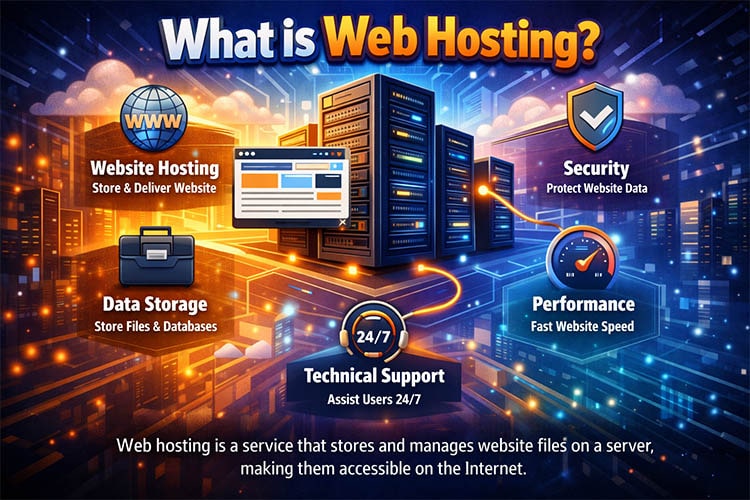
Web hosting is the service that makes your website available on the internet. Every website you visit—whether it’s a personal blog, an online store, or a company website—relies on web hosting to store its files and deliver them to visitors’ browsers when requested.
While the concept may sound technical at first, web hosting is simply the foundation that allows your website to exist online, load correctly, and remain accessible at all times. Understanding how hosting works helps you make better decisions about performance, security, and long-term growth.
What Is Web Hosting and Why Do Websites Need It
How Websites Work on the Internet
A website is made up of files—HTML pages, images, databases, scripts, and stylesheets. These files must be stored somewhere so they can be accessed by users around the world. That “somewhere” is a server: a powerful computer designed to run continuously and respond to requests.
When someone types your website address into their browser, their device sends a request over the internet to the server where your website is hosted. The server processes that request and sends the necessary files back, allowing the website to appear on the user’s screen.
Without web hosting, there is no server to store or deliver your website files—meaning your site simply cannot exist online.
The Role of Web Hosting in Making a Website Accessible
Web hosting ensures your website is:
- Available 24/7 to visitors
- Fast enough to load pages smoothly
- Secure against common online threats
- Scalable as traffic grows
A reliable hosting environment plays a direct role in user experience, search engine visibility, and overall site stability. This is why hosting quality matters just as much as website design or content.
Web Hosting vs Domain Name – What’s the Difference?
Web hosting and domain names are closely related but serve different purposes.
- Domain name: The address users type into their browser (for example, yourwebsite.com)
- Web hosting: The server where your website’s files are stored
You can think of the domain as your website’s street address, while hosting is the physical building where everything lives. Both are required for a website to function properly. If you want a deeper explanation, see our guide on what a domain name is and how it works.
How Web Hosting Works Behind the Scenes
Web Servers Explained in Simple Terms
A web server is a computer optimized to store website data and deliver it quickly when requested. Unlike a personal computer, a server:
- Runs continuously without interruption
- Uses specialized hardware and networking
- Handles multiple visitors at the same time
Hosting providers maintain these servers in secure data centers with redundant power, cooling, and network connections to ensure stability and uptime.
What Happens When Someone Visits Your Website
When a visitor opens your website, several steps happen in seconds:
- The browser looks up your domain’s DNS records
- The request is routed to your hosting server
- The server processes the request
- Website files and database content are sent back
- The browser renders the page for the visitor
The speed and reliability of this process depend heavily on the hosting environment, server resources, and optimization.
Storage, Bandwidth, and Server Resources Explained
Every hosting plan includes a set of server resources:
- Storage: Space for website files and databases
- Bandwidth: The amount of data transferred to visitors
- CPU & RAM: Processing power and memory for handling requests
Websites with higher traffic, dynamic content, or e-commerce functionality require more resources. Choosing hosting that matches your usage prevents slowdowns and unexpected limitations.
Types of Web Hosting Explained
Shared Hosting – Definition, Use Cases, Pros and Cons
Shared hosting places multiple websites on a single server, sharing its resources. It is commonly used for:
- Personal websites
- Blogs
- Small business sites with low traffic
Advantages: affordable, easy to manage, no server maintenance required.
Limitations: shared resources can affect performance under heavy load.
Learn more in our detailed explanation of different types of web hosting.
WordPress Hosting – What Makes It Different
WordPress hosting is optimized specifically for WordPress websites. It typically includes:
- Server-level caching
- Enhanced security rules for WordPress
- Optimized PHP and database settings
This type of hosting reduces technical overhead and improves performance for WordPress-based sites. See also what WordPress is and why it’s widely used.
VPS Hosting – How Virtual Servers Work
VPS (Virtual Private Server) hosting divides a physical server into isolated virtual environments. Each VPS has dedicated resources, offering:
- More consistent performance
- Greater control
- Better scalability
It is suitable for growing websites and applications. A deeper comparison is available in our guide on shared hosting vs VPS.
Dedicated Servers – Full Control and Maximum Performance
Dedicated hosting provides an entire physical server for a single client. This offers:
- Maximum performance
- Complete configuration control
- High security and isolation
Dedicated servers are typically used for enterprise systems, large e-commerce platforms, and high-traffic projects. For guidance, see VPS vs dedicated server comparison.
Cloud Hosting – Flexible and Scalable Infrastructure
Cloud hosting uses multiple interconnected servers instead of a single machine. This allows:
- On-demand resource scaling
- High availability
- Improved fault tolerance
Cloud hosting is ideal for websites with variable traffic or rapid growth patterns.
Which Type of Web Hosting Do You Actually Need?
Hosting for Beginners and Personal Websites
For first-time website owners, simplicity and stability matter most. Shared hosting or basic WordPress hosting usually provides sufficient resources without technical complexity.
Hosting for Small Businesses and Company Websites
Business websites benefit from hosting that balances performance, reliability, and scalability. As traffic increases, upgrading to VPS hosting helps maintain speed and uptime.
Hosting for E-commerce Stores
Online stores require consistent performance, secure transactions, and fast page loads. Hosting should support SSL, backups, and adequate server resources to handle traffic spikes.
Hosting for Developers and High-Traffic Projects
Advanced projects often need root access, custom configurations, and dedicated resources. VPS, cloud, or dedicated hosting environments provide the flexibility required for development and scaling.
Key Features to Look for in a Web Hosting Service
Uptime and Reliability
Uptime refers to how often your website is available online. Frequent downtime impacts user trust and search engine rankings. Reliable hosting minimizes service interruptions through robust infrastructure.
Website Speed and Performance Optimization
Server performance directly affects loading speed. Technologies like SSD or NVMe storage, caching, and optimized server stacks play a major role. You can explore performance factors further in our guide on why websites become slow.
Security Features and Backups
A secure hosting environment includes firewalls, malware protection, regular updates, and automated backups. These measures reduce the risk of data loss and security breaches.
Ease of Use and Control Panels
Control panels like cPanel or DirectAdmin simplify website and server management. They allow you to manage files, databases, emails, and settings without advanced technical knowledge.
Technical Support and Server Management
Responsive, knowledgeable technical support is essential—especially when issues arise unexpectedly. Managed hosting services handle server maintenance, updates, and monitoring, allowing you to focus on your website rather than infrastructure.
Web Hosting Pricing Explained – What Are You Paying For?
Why Hosting Prices Vary So Much
Web hosting prices can range from just a few dollars per month to hundreds. This variation is not random—it reflects differences in infrastructure, resource allocation, management level, and support quality.
Lower-cost plans usually rely on shared environments, limited resources, and basic support. Higher-tier hosting includes dedicated resources, optimized server stacks, proactive monitoring, and experienced technical management. The price often reflects how much responsibility the hosting provider takes off your shoulders.
Cheap Hosting vs Quality Hosting
Cheap hosting may seem attractive for new website owners, but it often comes with trade-offs:
- Overloaded servers affecting speed
- Limited security protections
- Basic or slow support responses
Quality hosting focuses on stability, performance, and long-term reliability. For example, a business website experiencing frequent slowdowns or downtime can lose user trust and potential customers—issues that often stem from underpowered hosting environments.
Hidden Costs to Watch Out For
Some hosting plans appear inexpensive at first but include additional costs later. Common examples include:
- Renewal prices significantly higher than the initial term
- Paid backups or restore fees
- Extra charges for security features or technical assistance
Understanding what is included—and what is not—helps you avoid unexpected expenses over time.
Common Web Hosting Mistakes Beginners Should Avoid
Choosing Hosting Based on Price Only
One of the most common mistakes is selecting hosting solely because it is the cheapest option available. While budget matters, hosting should be evaluated based on suitability for your website’s purpose, traffic level, and technical needs.
Many performance and stability issues discussed in common hosting mistakes stem from this single decision.
Ignoring Future Growth and Scalability
Websites rarely stay the same size forever. Traffic increases, content expands, and features are added. Hosting that cannot scale smoothly may require an urgent migration later.
Planning for growth—even at a basic level—reduces downtime and complexity when your website evolves.
Overlooking Support and Management Level
Technical issues are inevitable at some point. When they occur, access to knowledgeable support makes a significant difference.
Unmanaged hosting places full responsibility for server configuration, security, and troubleshooting on the website owner. For non-technical users, this can quickly become overwhelming.
How Web Hosting Affects Website Speed, SEO, and User Experience
Server Performance and Page Load Time
Server speed directly impacts how fast your website loads. Factors such as CPU power, RAM availability, storage type, and server optimization determine how efficiently requests are processed.
Slow servers result in longer load times, higher bounce rates, and reduced user engagement. This is one of the key reasons hosting quality influences overall website performance.
Hosting Location and Latency
Latency refers to the time it takes data to travel between the server and the visitor’s device. Hosting servers located closer to your target audience generally provide faster response times.
For global audiences, technologies like content delivery networks (CDNs) are often used alongside hosting to minimize latency.
Uptime, Downtime, and SEO Impact
Search engines expect websites to be consistently available. Frequent downtime can prevent search engines from accessing your pages, negatively affecting indexing and rankings.
If you want to understand how downtime impacts websites, see our article on why websites go down unexpectedly.
Is Managed Hosting Worth It?
What “Managed” Really Means
Managed hosting means the hosting provider takes care of server-related responsibilities such as:
- Operating system updates
- Security hardening and monitoring
- Performance optimization
- Regular backups
This reduces the technical burden on website owners and lowers the risk of misconfiguration.
Managed vs Unmanaged Hosting
With unmanaged hosting, you receive raw server resources and full control—but also full responsibility. Managed hosting trades some control for convenience, stability, and expert oversight.
The choice depends on your technical skills, available time, and the critical nature of your website.
Who Benefits Most from Managed Hosting
Managed hosting is particularly beneficial for:
- Business and e-commerce websites
- Non-technical website owners
- Projects where uptime and security are critical
Frequently Asked Questions About Web Hosting
What Is the Best Web Hosting for Beginners?
Beginners typically benefit from shared hosting or entry-level WordPress hosting. These options provide simplicity, preconfigured environments, and minimal maintenance requirements.
Do I Need Web Hosting to Build a Website?
To make a website accessible on the internet, web hosting is required. While local development tools allow offline testing, hosting is necessary for public access.
Can I Change My Hosting Provider Later?
Yes, websites can be migrated between hosting providers. With proper planning, migrations can be completed with minimal or no downtime. Our guide on moving your website without downtime explains the process in detail.
How Much Traffic Can Web Hosting Handle?
Traffic capacity depends on hosting type and allocated resources. Shared hosting supports low to moderate traffic, while VPS, cloud, and dedicated servers handle significantly higher volumes.
Is Web Hosting Secure?
Hosting security depends on both the provider and the website configuration. Secure hosting environments include firewalls, malware scanning, backups, and regular updates to reduce risks.
Understanding Web Hosting Is the First Step to Building a Reliable Website
Web hosting is more than just a technical requirement—it is the foundation that determines how reliable, fast, and secure your website will be.
By understanding how hosting works, the differences between hosting types, and the impact on performance and user experience, you are better equipped to make informed decisions that support your website’s long-term success.

